New TransType 5 by FontLab: Use variable fonts anywhere

TransType 5 is the brand-new version of FontLab’s popular font converter.
Drop variable font in — add arbitrary instances — pick a format and turn on Install — click Convert — and the variable font becomes a traditional static, so it works in any app and system. We think that this can actually help in adoption of variable fonts.
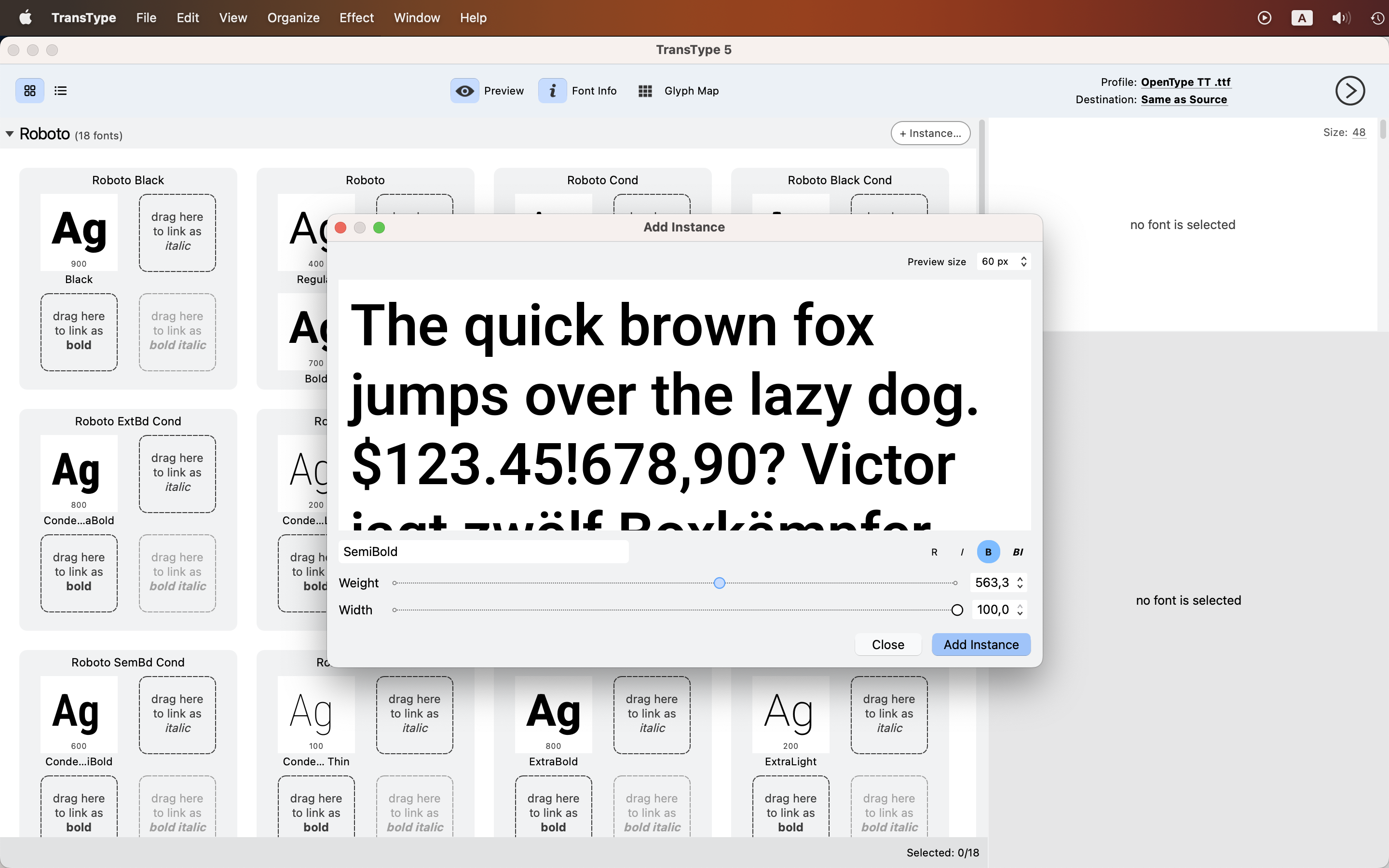
You can also convert font sources from FontLab, TypeTool, Fontographer, RoboFont, Glyphs and FontForge, convert between color font flavors for maximum system compatibility, export modern .woff2 web fonts, and tweak individual line-spacing values.
A true exclusive: our all-new Oblique effect corrects contours algorithmically as you slant them. The Shadow effect builds a vector drop shadow with an optional outline that you can Overlay with the source font — so users can purchase your layer fonts, assemble them and easily use the result in color-font-supporting apps.
The new dark/light UI is localized into German, Spanish and French, with more languages to come!
- Download TransType 5 & perform 10 conversions fore free.
- Get a lifetime license for €$ 99.
- Have an older TransType? Upgrade now for €$ 40 (short-term offer!), or later for €$ 50. Your upgrade code is the first 13 characters of your old
TRserial number, without spaces, entered in the Coupon Code field at checkout. - Bought TransType 4 in 2026? Your upgrade is free!
Comments
-
Do you have some more details on this? For example, some sample corrections one could look at to compare with uprights and pure slants? Or maybe you even want to share what your approach is here?Adam Twardoch said:A true exclusive: our all-new Oblique effect corrects contours algorithmically as you slant them.
0 -
We use an algorithm with its roots in Christian Robertson’s italicize algorithm, converted to C++ and heavily optimized for both speed and results.SCarewe said:
Do you have some more details on this? For example, some sample corrections one could look at to compare with uprights and pure slants? Or maybe you even want to share what your approach is here?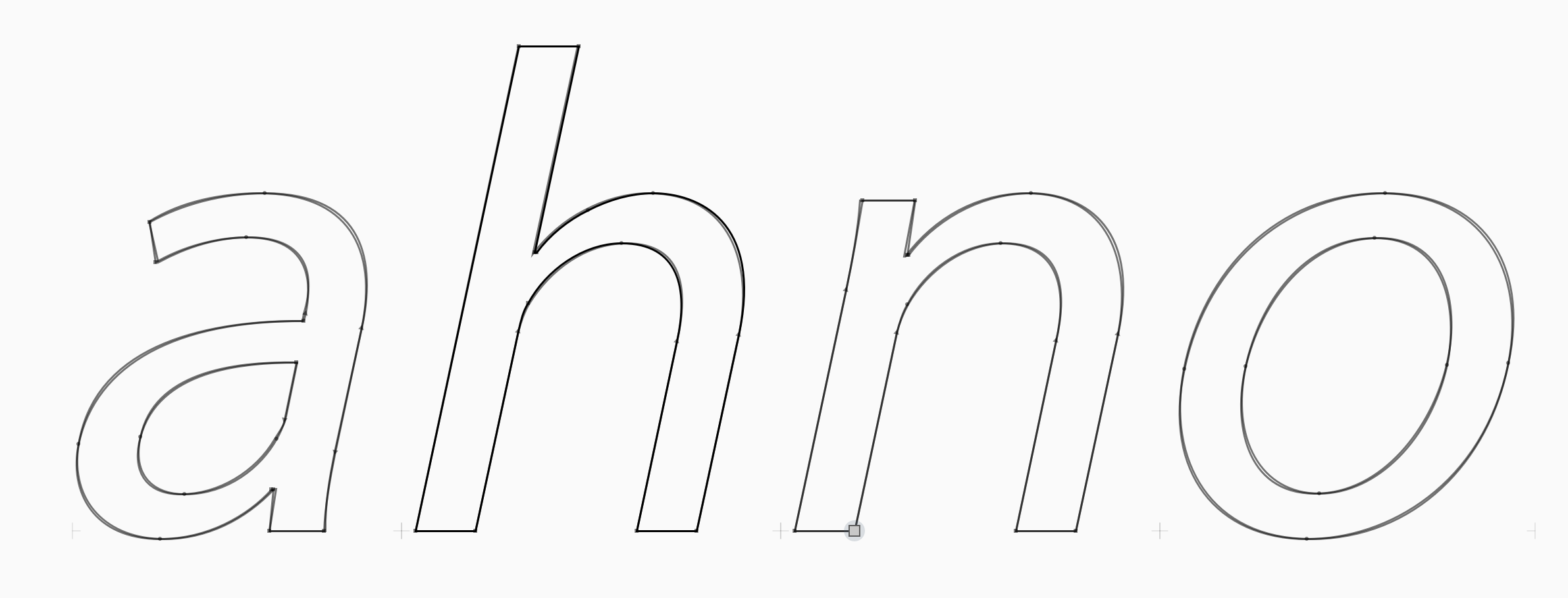 TransType 5 is based on the latest FontLab code, so here is a sample from the yet-unreleased version of FontLab0
 -
Original:

12° Slant: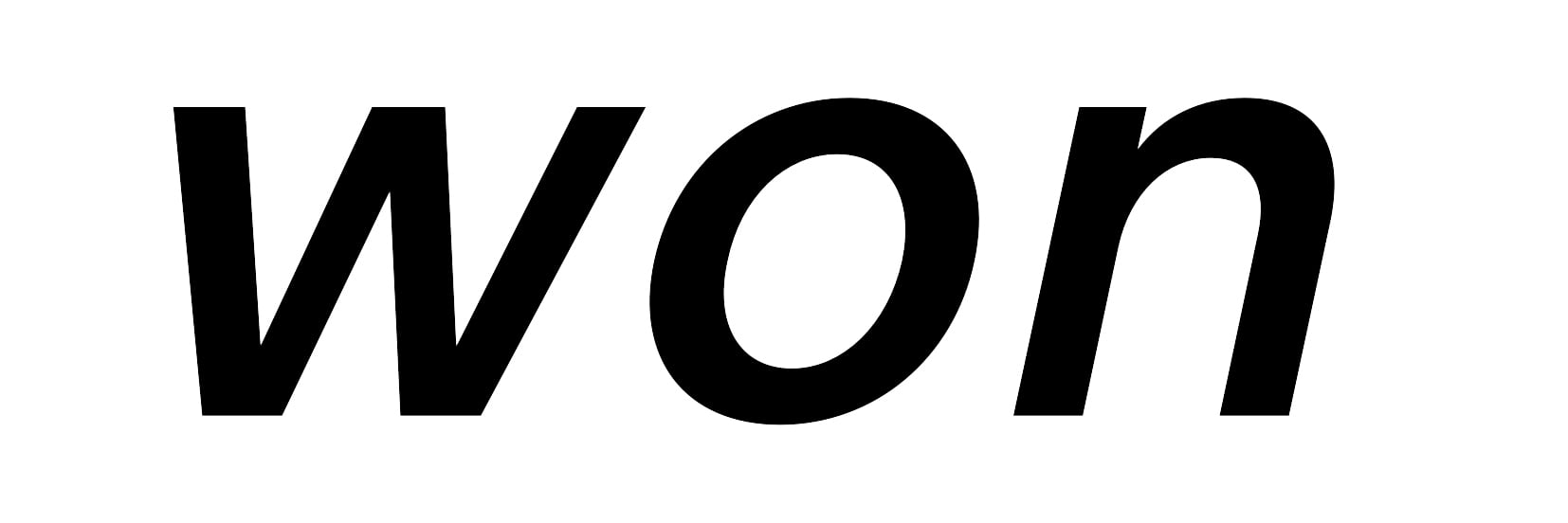
TransType 5 12° Fauxblique: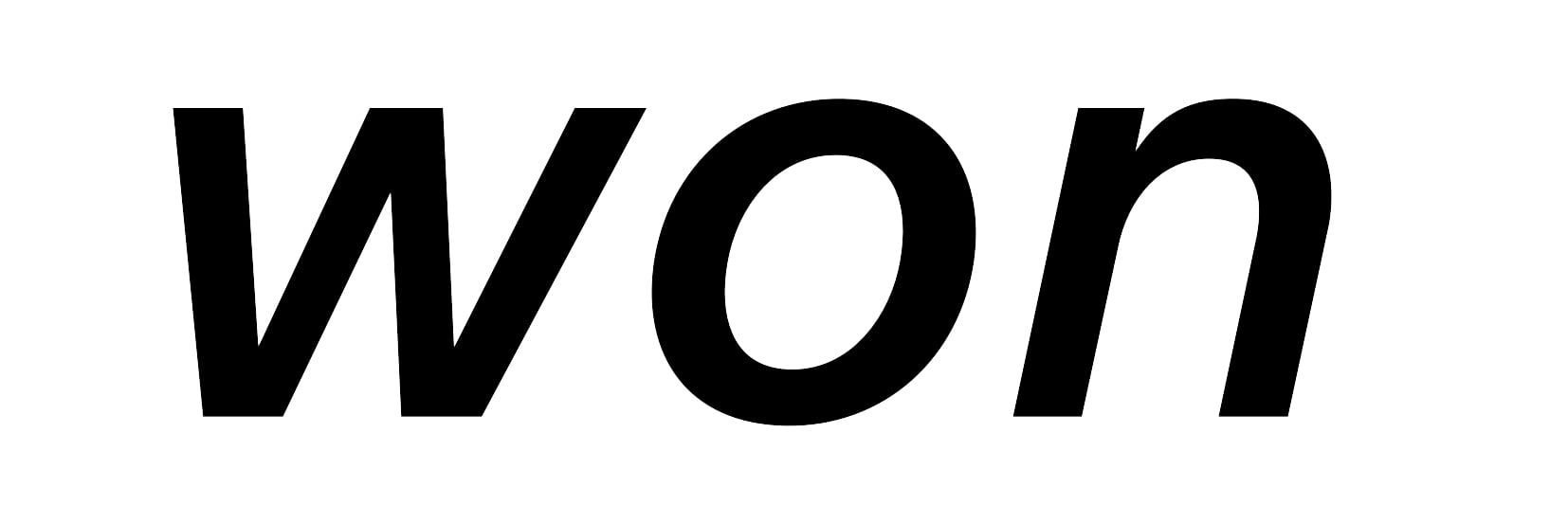
3 -
Regarding the statement, "A true exclusive: our all-new Oblique effect corrects contours algorithmically as you slant them." when will this feature be available in FontLab 8?
0 -
Can I presume that TransType 5 comes with explicit caveat to users that a) some uses of the tool may not be permitted by foundries and to check the font license and b) foundries are not responsible for customer support for fonts output from TransType 5?1
-
Yes. You have to accept certain rules when you run TransType for the first time.3
-
Thanks for the insight and the comparisons! I must say I have a strong dislike for the results of Christian's algorithm, but realise that it works very well as a fail-proof algorithmic correction, which is the intention, rather than making really good-looking obliques.We use an algorithm with its roots in Christian Robertson’s italicize algorithm
One thing I didn't realise is that it also seems to correct diagonals (judging by the screenshots, viewed on my phone – I might be hallucinating), which is very impressive. I had no idea.
Great tool either way, congratulations on the new release.0 -
Sounds like Adobe Type Manager, but for OpenType.3
-
It is coming to FontLab, but not 8Typedesigner said:Regarding the statement, "A true exclusive: our all-new Oblique effect corrects contours algorithmically as you slant them." when will this feature be available in FontLab 8? 1
1 -
I note that the last regular/stable public dot release of FontLab 8 was almost exactly two years ago (September 2024).
2 -
Christian Robertson’s italicize algorithm dates back to 2015. Now, 11 years later, it can hardly be considered an optimal or innovative solution. Given that this technology has been around for more than a decade, I would expect FontLab 8 to have already incorporated a comparable solution, rather than postponing it to FontLab 9.
Based on my tests, however, the results are not convincing and require significant manual correction. In particular, the Y extrema are not vertical, there is no proper balance or harmonization, and the anchors are not correctly slanted according to the italic angle.
0 -
Please note that the FontLab 9 feature is not Robertson’s, but a “heavily optimized for both speed and results” version.0
-
FYI, upon purchase the link for the Windows version points to a mac .dmg. Could you correct?0
-
Just fixed it, thank you!Jeremy Dooley said:FYI, upon purchase the link for the Windows version points to a mac .dmg. Could you correct?0





Categories
- All Categories
- 47 Introductions
- 4K Typeface Design
- 505 Type Design Critiques
- 595 Type Design Software
- 1.1K Type Design Technique & Theory
- 675 Type Business
- 911 Font Technology
- 29 Punchcutting
- 544 Typography
- 129 Type Education
- 333 Type History
- 82 Type Resources
- 114 Lettering and Calligraphy
- 33 Lettering Critiques
- 81 Lettering Technique & Theory
- 586 Announcements
- 101 Events
- 118 Job Postings
- 179 Type Releases
- 187 Miscellaneous News
- 270 About TypeDrawers
- 54 TypeDrawers Announcements
- 114 Suggestions and Bug Reports