


Hellbox: live font proofing for Mac
Comments
-
This is cool! I too am building a font editor, Shift, and have had this persistent idea in my head of what it would be like to be able to do proofing inside the editor itself, instead of having to export into different apps.
My initial thoughts was more an infinite canvas experience like figma or tldraw, where you have something akin to text boxes that you could apply different designspace locations, sizes, layouts and move around. This would obviate the need for tabs and you could see and edit the font in all its different design contexts in one place.
I first thought I could do a similar thing to Counterpunch and incrementally compile the font on the fly and render that with the FontFace api (because this is an Electron app), and then you get all the html/css layout and semantics for free, and that fidelity (this is what your font will look like when compiled), but I didn't go down that route.
I'm not a type designer so I am not sure how useful this type of editing experience would be, or whether just having single/multiline fixed text, like Glyphs in different tabs is fine for most.
I work for tldraw so am infinite canvas pilled, but having everything in one space seems like a good experience and am keen to explore this type of interaction in the font editor space.0 -
Shipped the pieces of this that felt right regardless of where any spec lands, in 1.36:
- Inline axis spans:
<wght@550>or<wght@550,wdth@75>, stacking on the section font's own axis settings. Went with@for axis locations and reserved=for feature values, per @Florian Pircher. - Unknown tag-shaped tokens are now consumed silently instead of rendering literally, so text using future tags degrades to plain text in old versions from here on. @yanone (For proofing text that should render its brackets verbatim, code samples and the like, tag parsing is a per-section toggle, and
\<escapes a single tag.) <extrabold>and the other weight roles now resolve to the font's own fvar named instance first, wherever the designer put it, before falling back to name matching. STAT lookup is next.
@Dave Crossland I went back and forth on instancer syntax since it's what the Python tooling already speaks, but the location-vs-selection distinction won out for a format that also has to carry feature values. The forward-compat rule means
<wght=550>degrades cleanly today, so accepting instancer-style as input later is a small, non-breaking addition if that's where tools land.@Roel Nieskens on CSS spans: for me it's about signal-to-noise. Proof text gets read a lot more than it gets written, in the editor, in .txt files, in diffs when proofs live in a repo, and
<smcp>hello</smcp>keeps the text legible in a way<span style="font-feature-settings: 'smcp'">hello</span>doesn't, regardless of whether a person or a tool wrote it. Both syntaxes need custom extensions at the edges anyway (there's no inline CSS for a glyph by name). Where CSS fits well is interchange: acceptingfont-feature-settings,font-variant, andfont-variation-settingson pasted spans maps mechanically onto the tags, so formatted text from other tools could just work while the terse forms stay the native syntax. I dug into the Wakamai Fondue engine tables and they're exactly the right mapping for that, so I may take you up on the help.Still sitting with the bigger spec question rather than committing to anything yet. 🙇♂️
0 - Inline axis spans:
-
@kostyafarber My take after building both a web proofer (idiotproofed) and this... canvas and pages solve different problems. An infinite canvas is a pretty great editing surface, but a proof's constraints are kind of the point in most cases. That's why Hellbox is quite unapologetically paged. The good news for an editor like Shift is you don't have to build proofing at all if you don't want to. Hellbox watches a folder, so if Shift can export a binary on save, your users get live-updating PDF proofs next to the canvas with zero integration work.1
-
Awesome0
-
I own the `hellbox` package on PyPI. I'll be looking for a new project name given your announcement; if there's anything that you can think of to do with a python package related to your project, I'm happy to transfer ownership to you. (Looks like you have a CLI, maybe you want to wrap that in a python package as well?)
0 -
@Jack Jennings That's very generous, thank you! I'll take you up on it. it would be great to have a pip-installable wrapper around the headless CLI so proofs can run in CI with nothing but
pip install hellbox. I'll DM you.0 -
@jakeflem I'm liking this very much.0
-
@Miles Newlyn That's what I like to hear!0
-
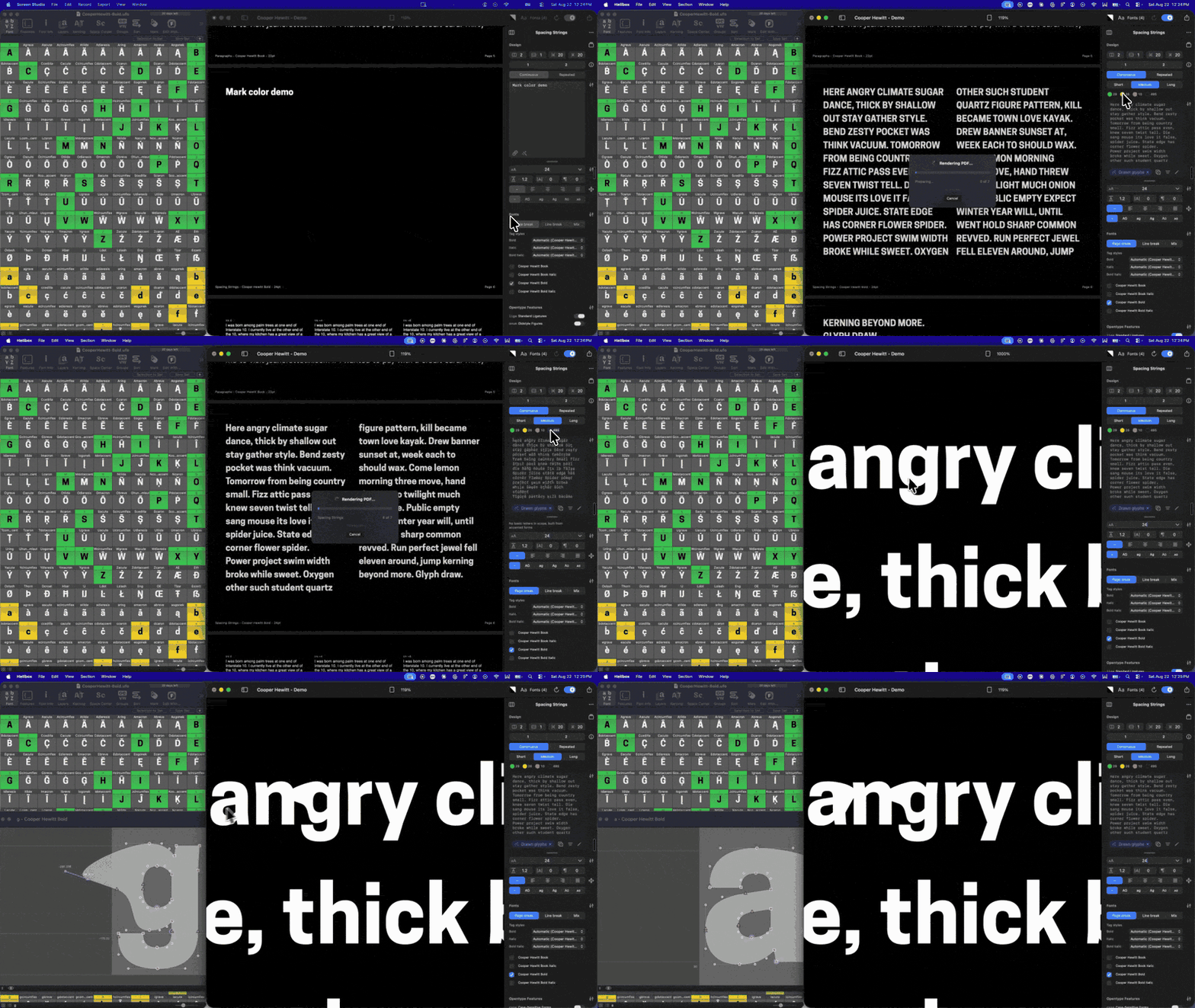
A few things have landed in Hellbox over the last two weeks:- Proof only what's marked done. Hellbox reads mark colors from your UFO, designspace, or Glyphs file (RoboFont mark colors, Glyphs color labels) and shows them as swatches in the section controls. Pick one or more and the generated text and "All drawn glyphs" narrow to those glyphs. A "no mark" swatch shows you what you haven't flagged yet.
- RoboFont round trip. Cmd+click a glyph rendered from a .ufo or .designspace source and it opens in RoboFont's edit window. Select text and hit Return to land it in a Space Center with /glyphnames intact. If RoboFont is closed, Hellbox launches it and opens the UFO. The Glyphs round trip has worked this way for a while; now both editors do.
- Axis spans. On a variable font, wrap a run in <wght@900> or <wght@900,wdth@60> to render it at those coordinates. Nests like any other tag. Weight roles like <extrabold> resolve to the font's own named instances first, then the STAT table, so work-in-progress variable fonts land on the designer's own ExtraBold.
- CI with just the .glyphs file. Headless renders compile .glyphs and .glyphspackage sources with the bundled fontc, so a repo with the source and the .fontproof renders on any runner.
- Plus fixes: underlines are drawn from the font's post-table metrics so they're consistent at every size, zero-width glyphs get their own room in Glyph Set grids, <b> on a single variable font uses its Bold instance, and hidden fonts stay hidden through live reload. Font-resolution checks gate every release.
Full notes: hellbox.com/changelog5 -
Really liking Hellbox, just purchased a license. Any chance support for live-updating FontLab8 vfj files could be added?0
-
@Matthijs Herzberg Thanks for picking up a license! Your post sent me down the FontLab rabbit hole, and it just shipped in 1.45.0! With FontLab 8 running, open Hellbox's Font Manager and go to the Editors tab. You'll see a one-time button to enable live sync (it only appears while FontLab is open). Click it, relaunch FontLab, and your open fonts show up there with live reload on save. Saved .vfj files compile natively, and you can Cmd+click a glyph in the proof to jump to it in FontLab. Update from inside the app or grab it at hellbox.com. Let me know if you have any issues with it.2
-
@jakeflem Absolute magic. Thank you very much Jake!0
-
How do I make columns?
0 -
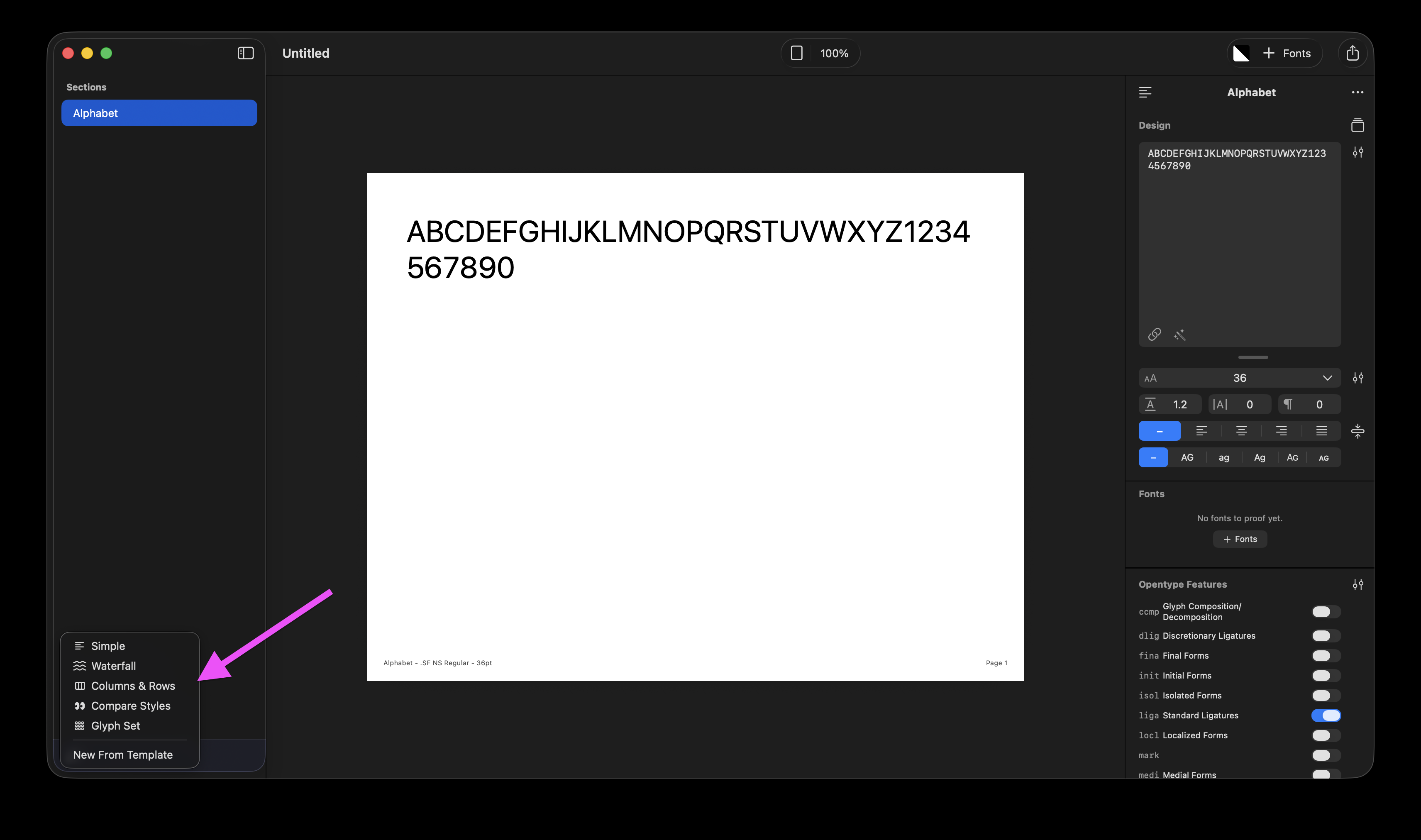
@Chris Lozos When you create a new section, you can choose "Columns & Rows"
You can also change any existing section's type in the section controls panel heading: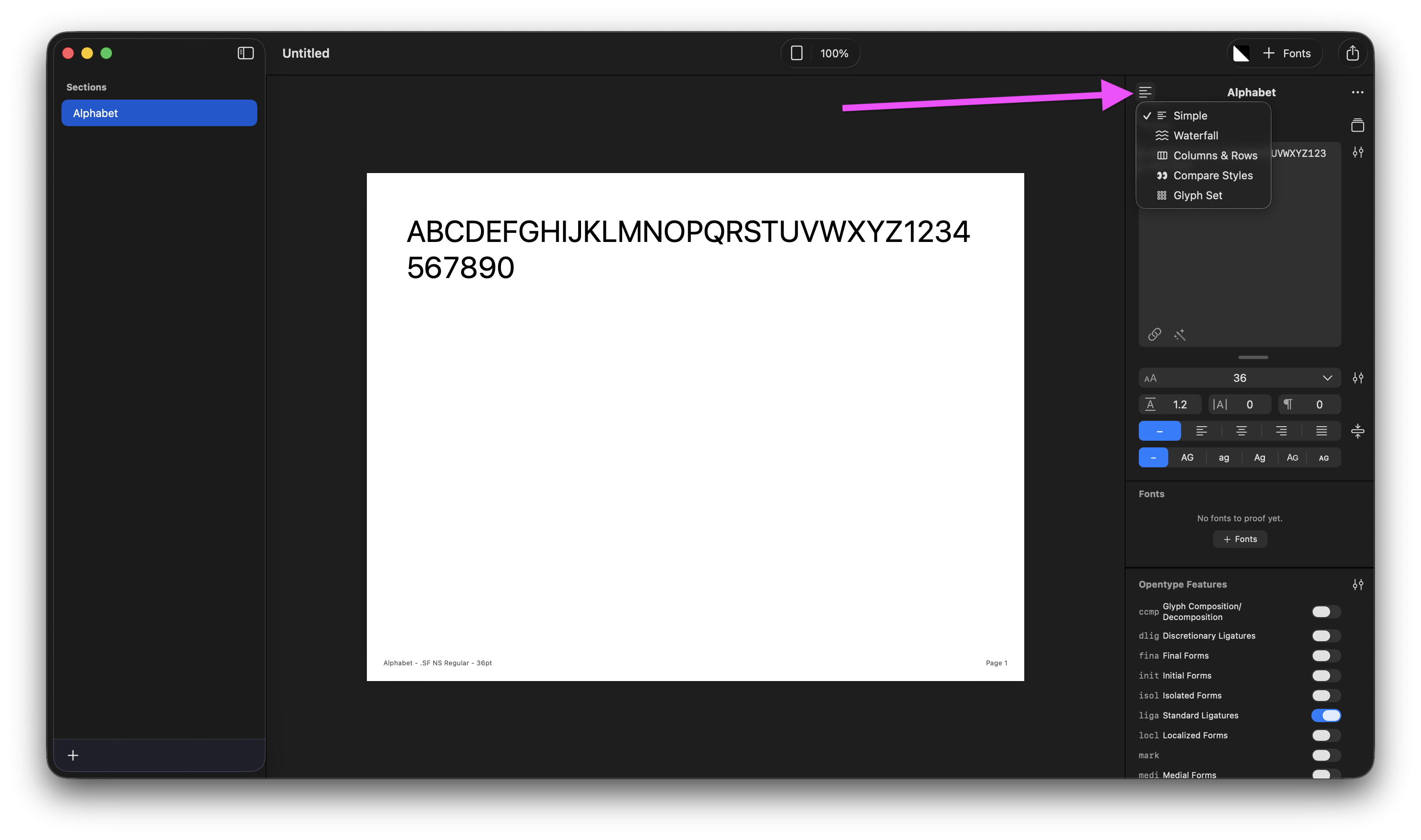
Would love to know where you looked for it first so I can make note of that for future improvements 🙏0 -
I am looking for 2 and 3 column formats that I can place my spacing and kerning working texts in at small and medium sizes (9-18pt) but make economic use of page space. This is not for presentation format. It is for proofing sheets while I am making spacing decisions. I would also like to see mixed upright with italic and bold to see how various styles work together.0
-
@Chris Lozos You can definitely do all of those things. Here's a few screenshots:
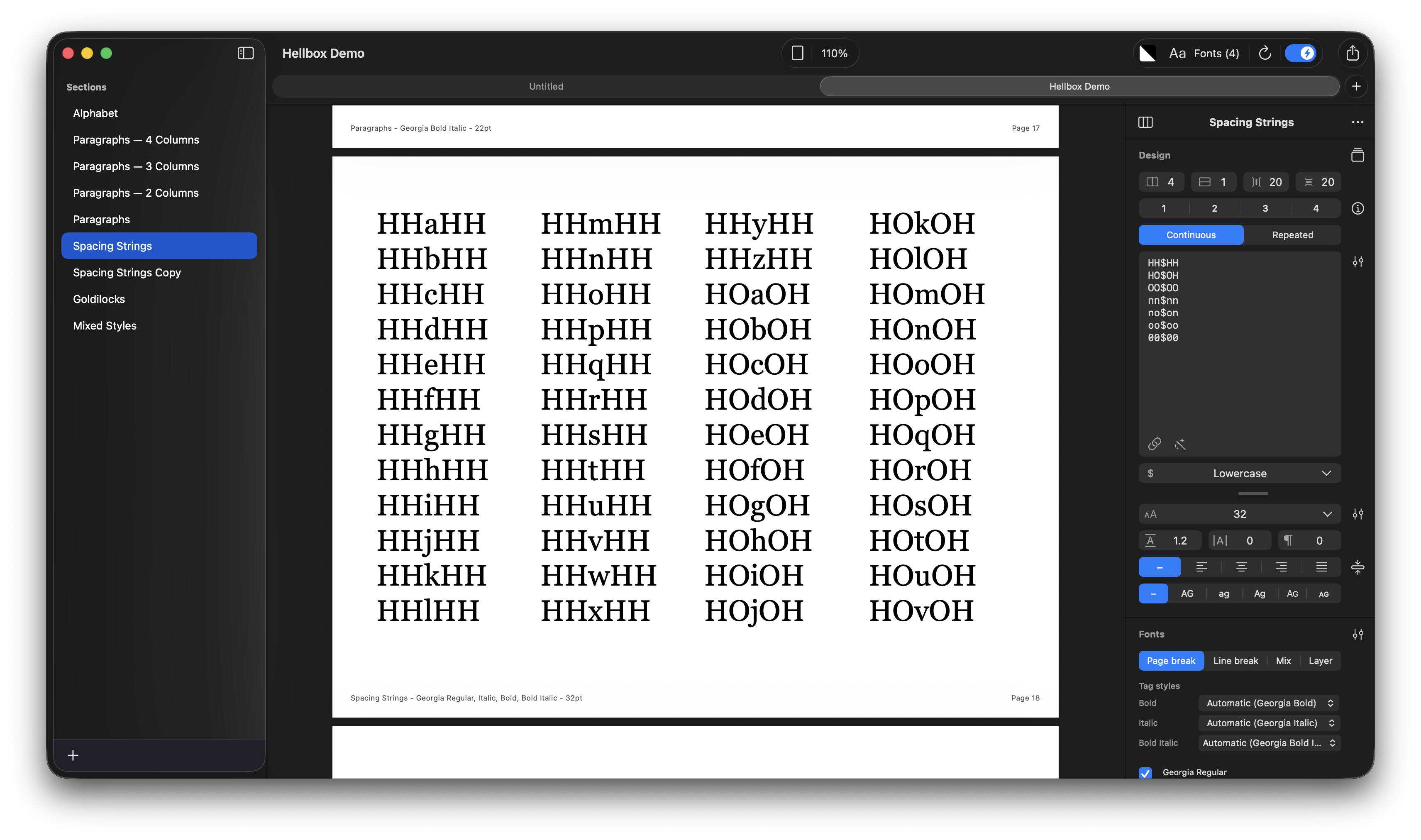
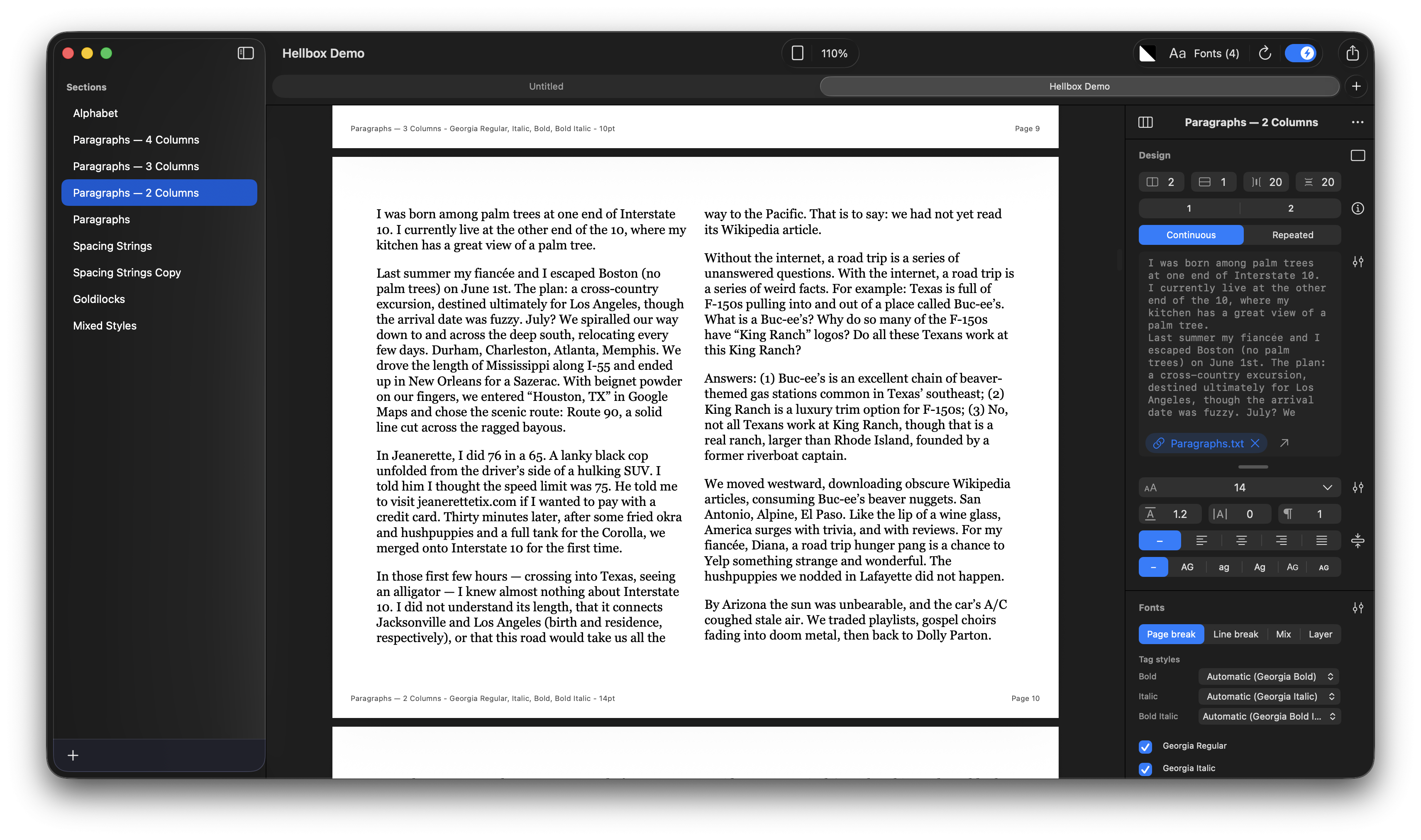
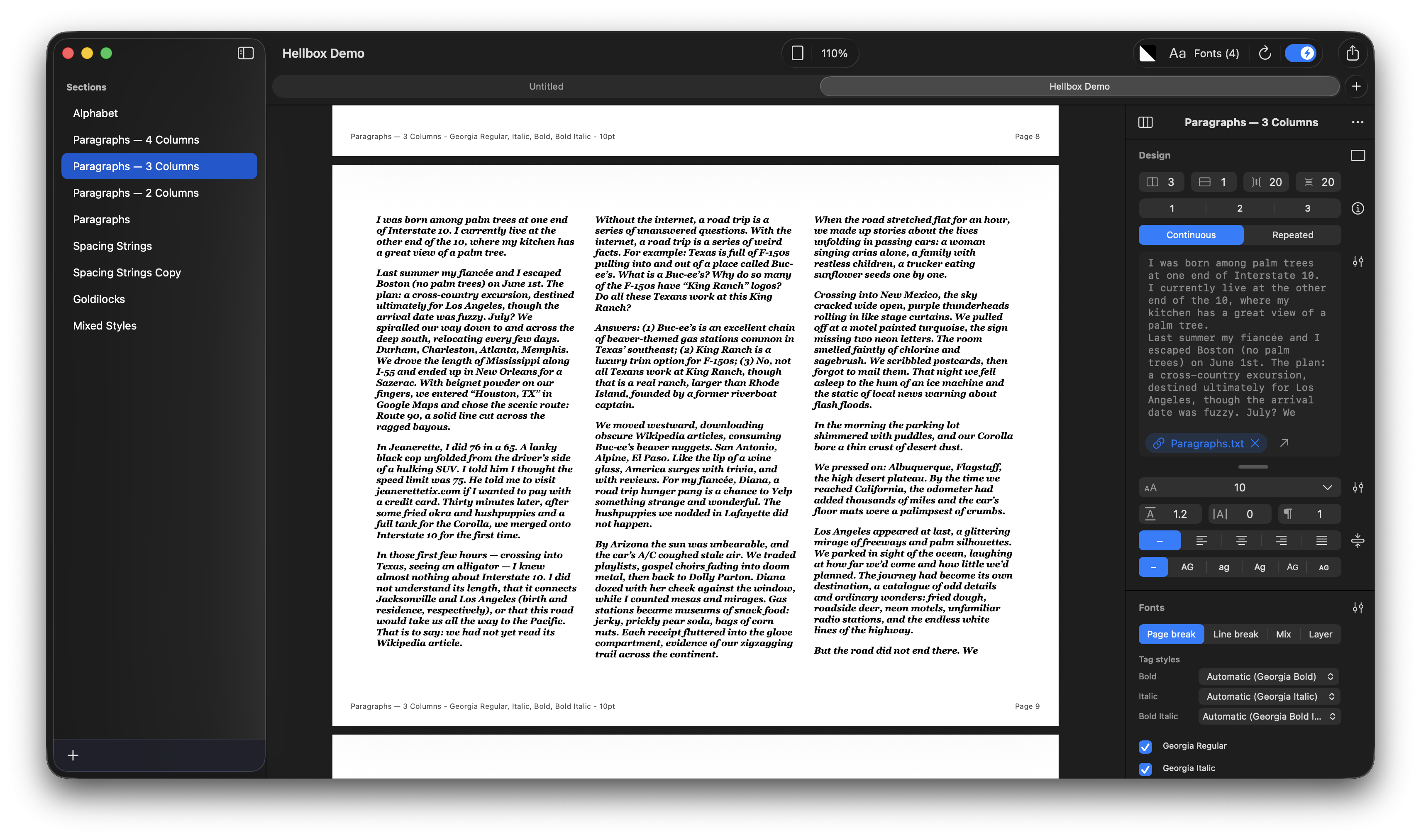
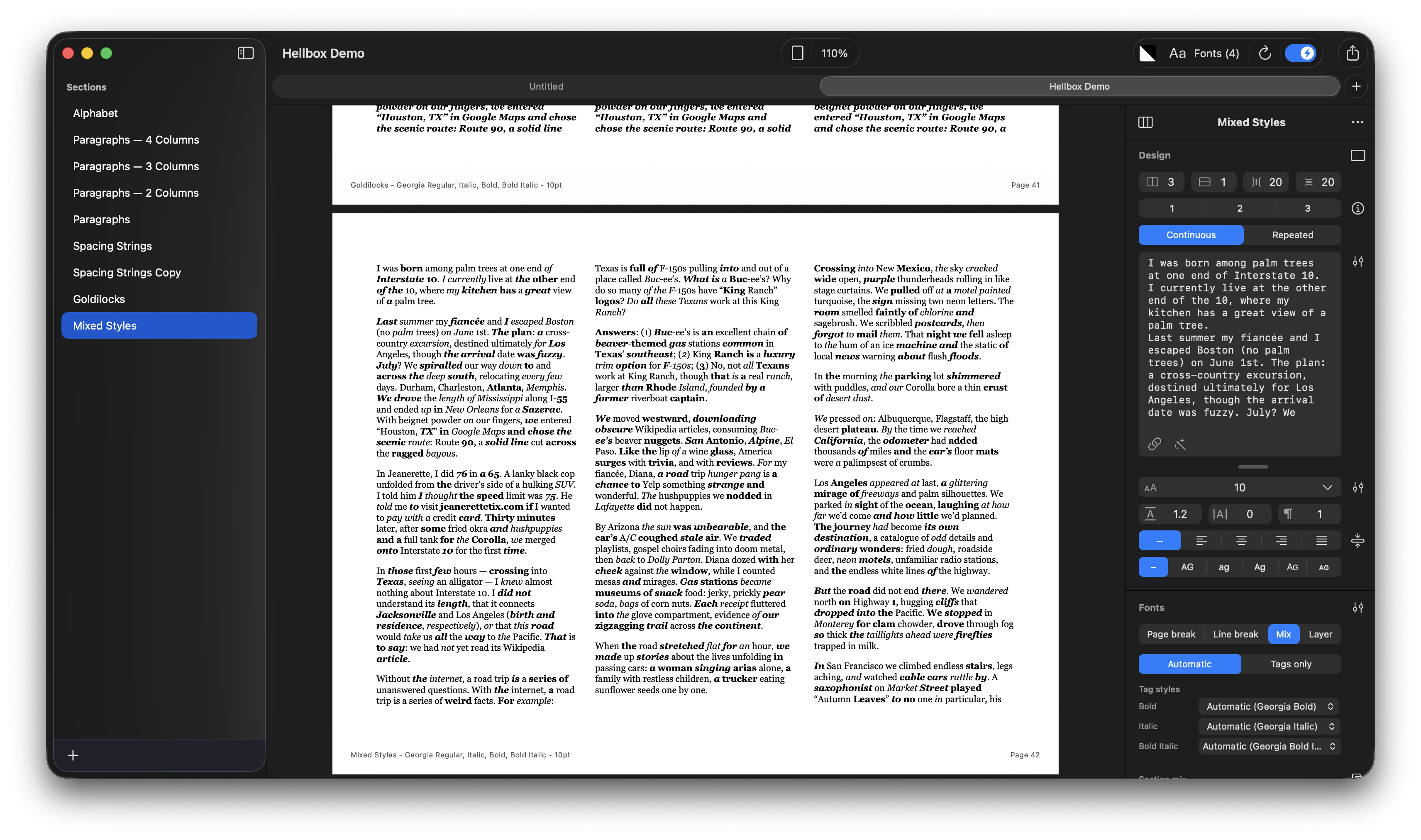
You can download the Font Proof from the above screenshots. The file just uses Georgia so it should look identical on your machine until you swap out the fonts.1 -
@jakeflem Looks good, Thanks!0
-
hello Jake,
just bought a license. nice work! i have some feedback, where can i send it to you? main problems are some UI issue, for example the footer information. it's strange that it shows all the active instance name on every page. while each page actually only use one instance (in my case)...shouldn't it be showing only the styles used in the current page?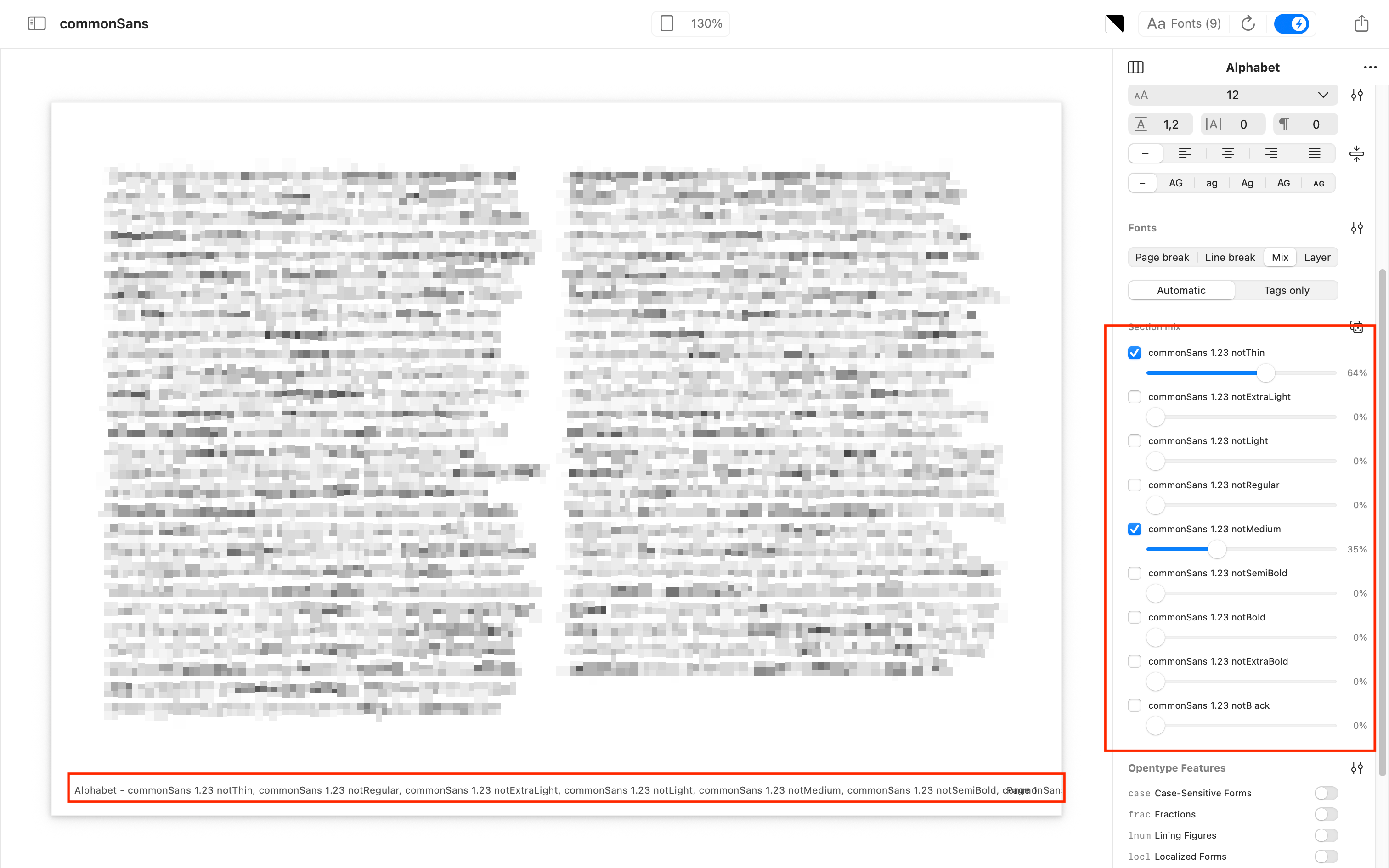
another thing is the zoom
I'm not sure this means 100% of the actual size or ...?
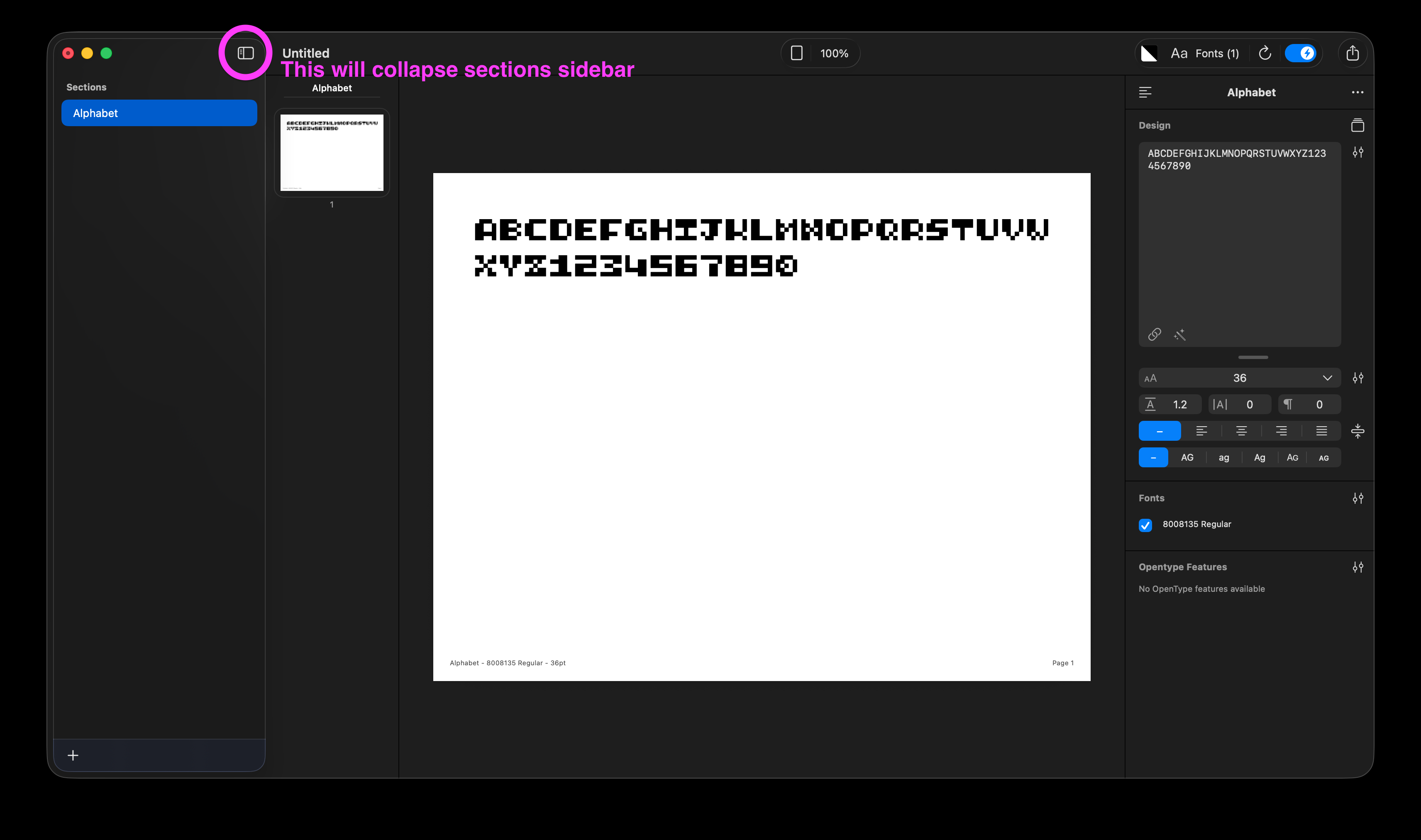
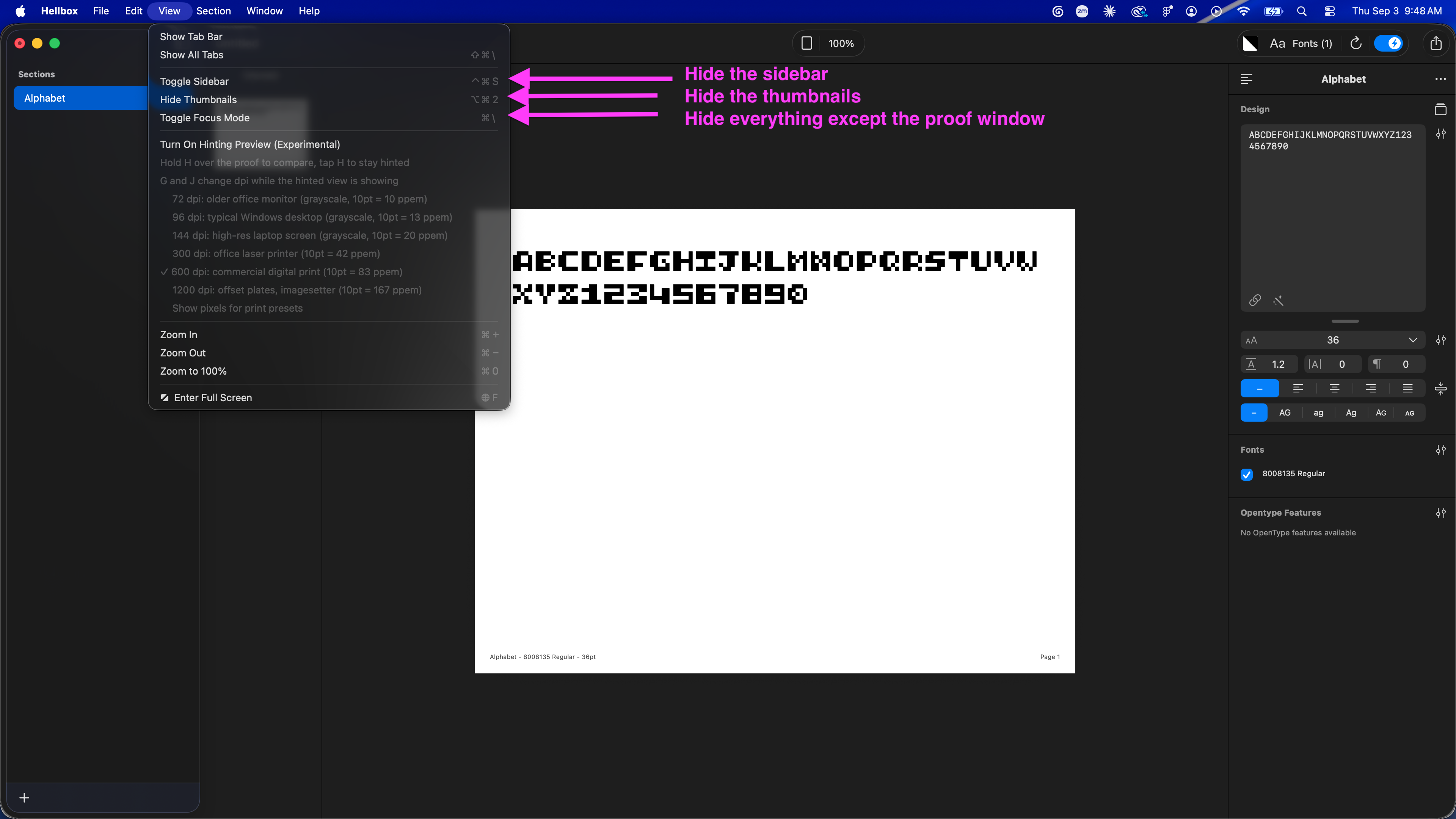
i understand the section panel is important, but maybe in default this can be hidden or at least the users can decided the "default" of the workspace, it make the workspace so small...same goes for the panel on the right size, I wish there are buttons can fold them, so the interface can be a bit more minimal...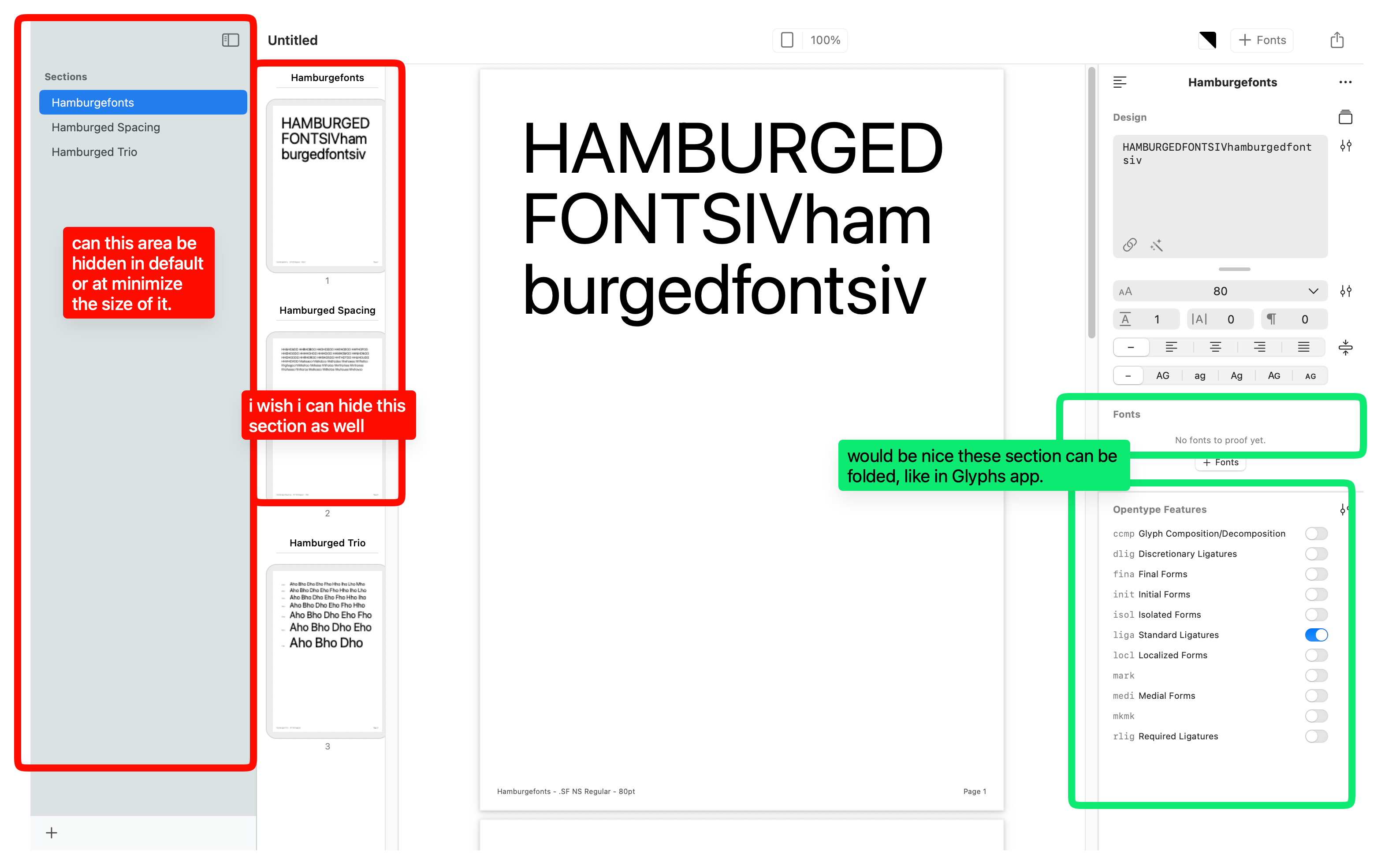
Thanks!another bug i find is the font size input area, when i type 1,2, 3, it will be turned into 4.
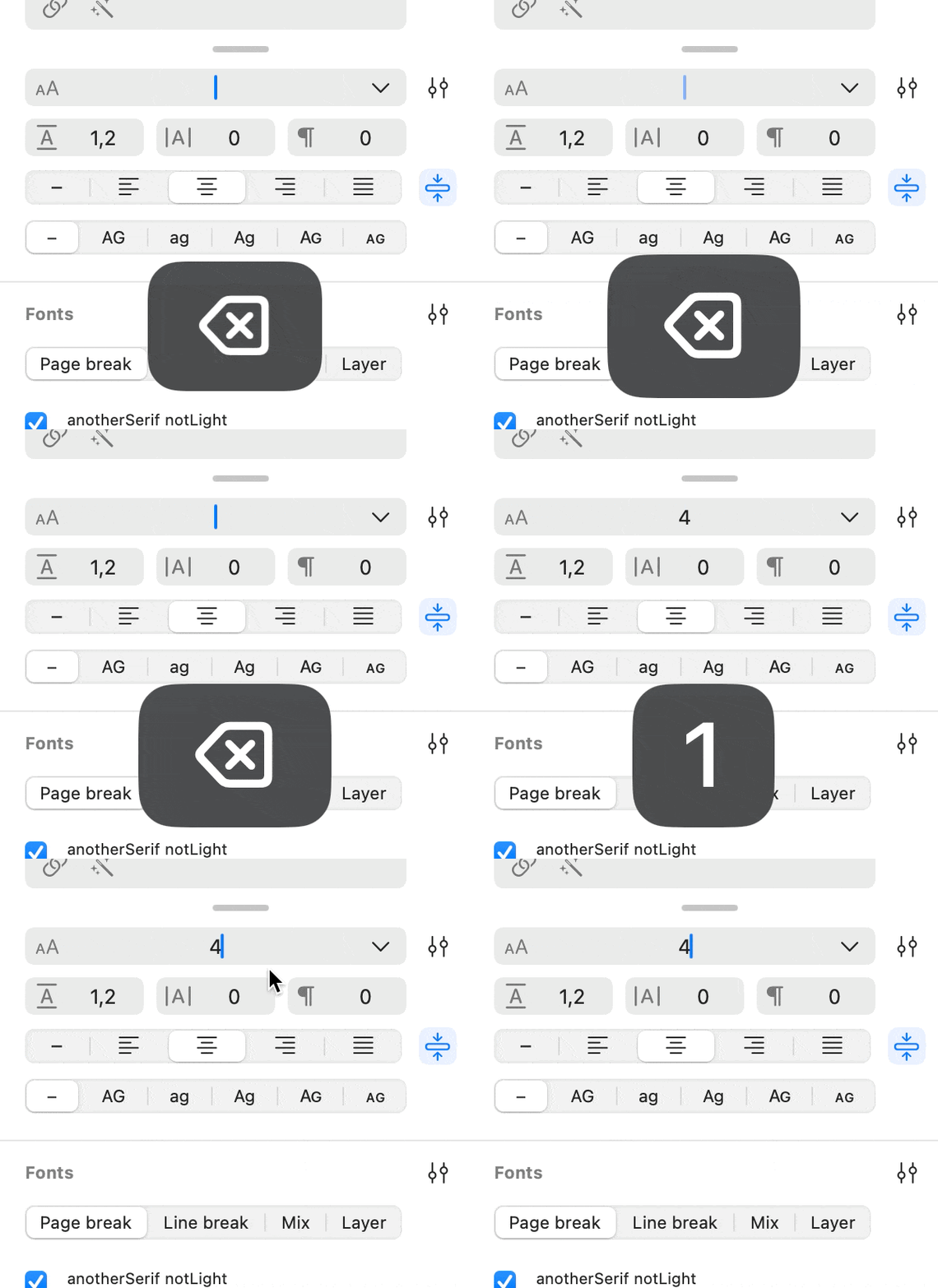 1
1 -
@Xiaoyuan Those bugs you surfaced should be fixed in 1.49.1. The footer now lists only the fonts that can actually land on the page in Mix mode, and the size field no longer clamps while you type. Zoom has a clearer label too: 100% is actual size, one point on the page to one point on screen, same as Preview. The collapsible panel groups are on the list. If you'd expect the zoom to work differently or run into any other bugs let me know! It's greatly appreciated.2
-
thanks for all replies! @jakeflem
perhaps i was hoping there will be an option: something like this in preview app
"Size on screen equals size on printout"
Of course, maybe it's just me... i'm too used to indesign's "100%" as actual size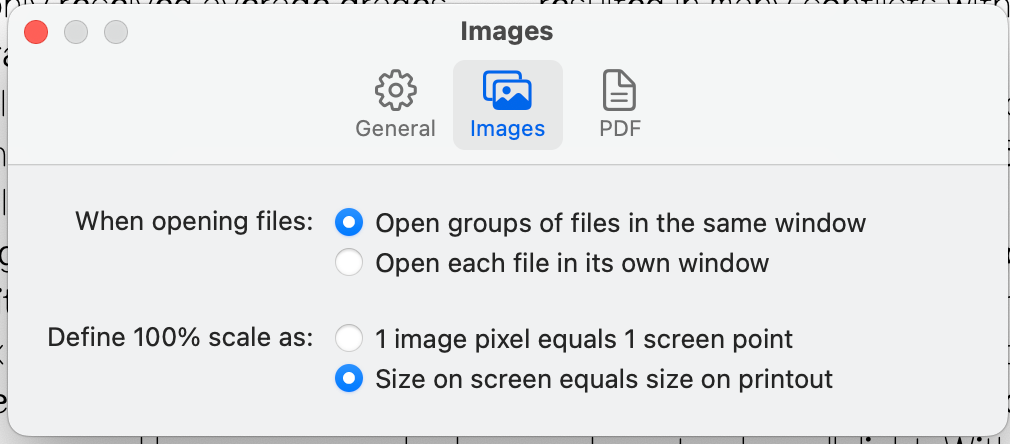
another would be nice is when starting hellbox app
to me it would be great if it show me my recent files first instead of the template, because i would want to go to my working files most of the cases.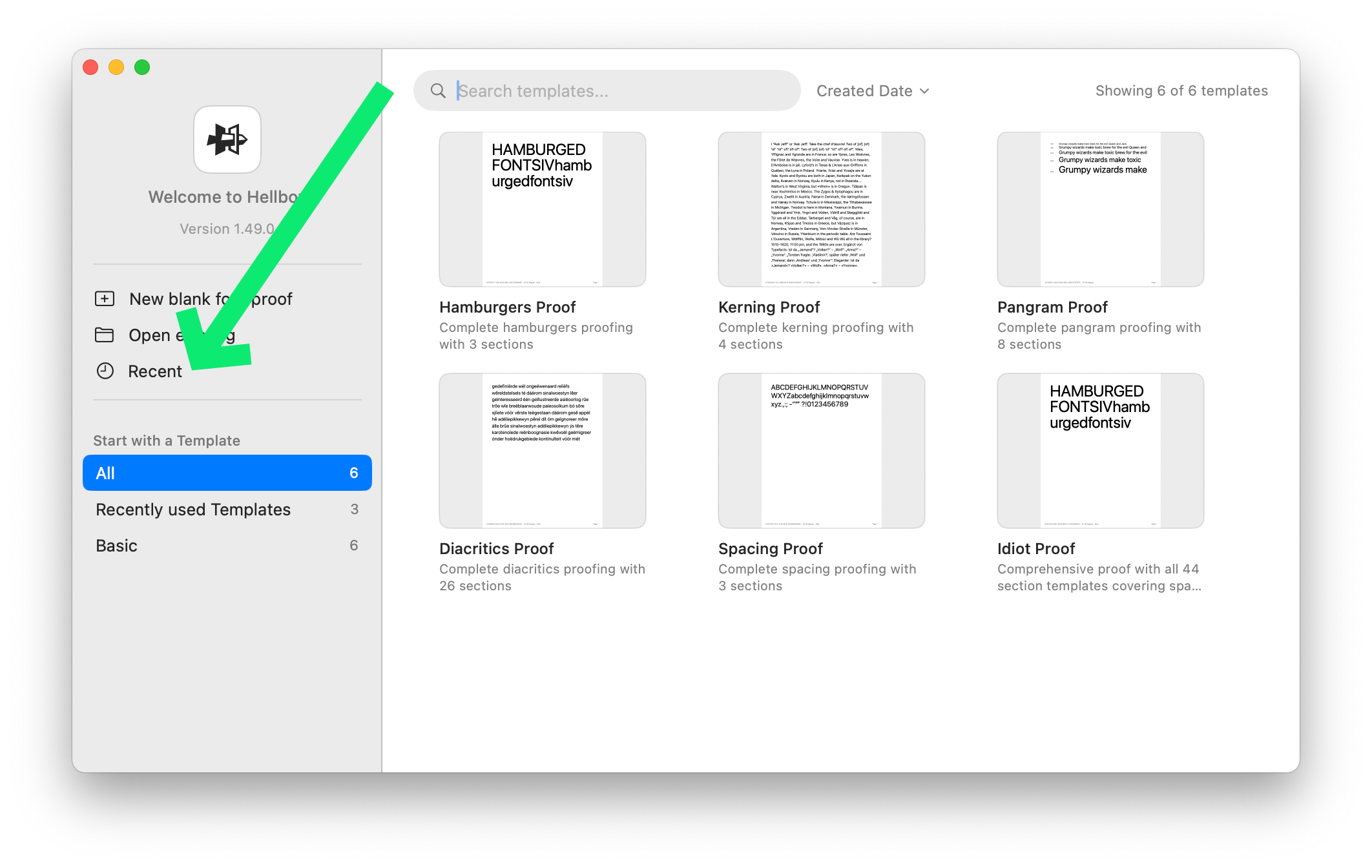
p.s. would you consider open a repo on github to let people file issues, i think that would be convinient for you and the reporters hahah. keep all reports in one place haha.1 -
@Xiaoyuan Good news, all of that landed in 1.50 today. There's a Print Size option now (View menu, or the zoom popover) that does what Preview does and shows the page at the size it prints on your display. The Welcome window opens on your recent files when you have any. And I set up a public tracker at github.com/jakefleming/hellbox, so Help > Report an Issue takes you straight there with your version filled in. Appreciate you taking the time on all this!2




Categories
- All Categories
- 47 Introductions
- 4K Typeface Design
- 501 Type Design Critiques
- 593 Type Design Software
- 1.1K Type Design Technique & Theory
- 675 Type Business
- 909 Font Technology
- 29 Punchcutting
- 544 Typography
- 129 Type Education
- 333 Type History
- 82 Type Resources
- 114 Lettering and Calligraphy
- 33 Lettering Critiques
- 81 Lettering Technique & Theory
- 580 Announcements
- 101 Events
- 116 Job Postings
- 176 Type Releases
- 186 Miscellaneous News
- 270 About TypeDrawers
- 54 TypeDrawers Announcements
- 114 Suggestions and Bug Reports