New Plugin for Glyphs: TypeSpan, a Time Tracker and Workflow Reporter for Type Designers

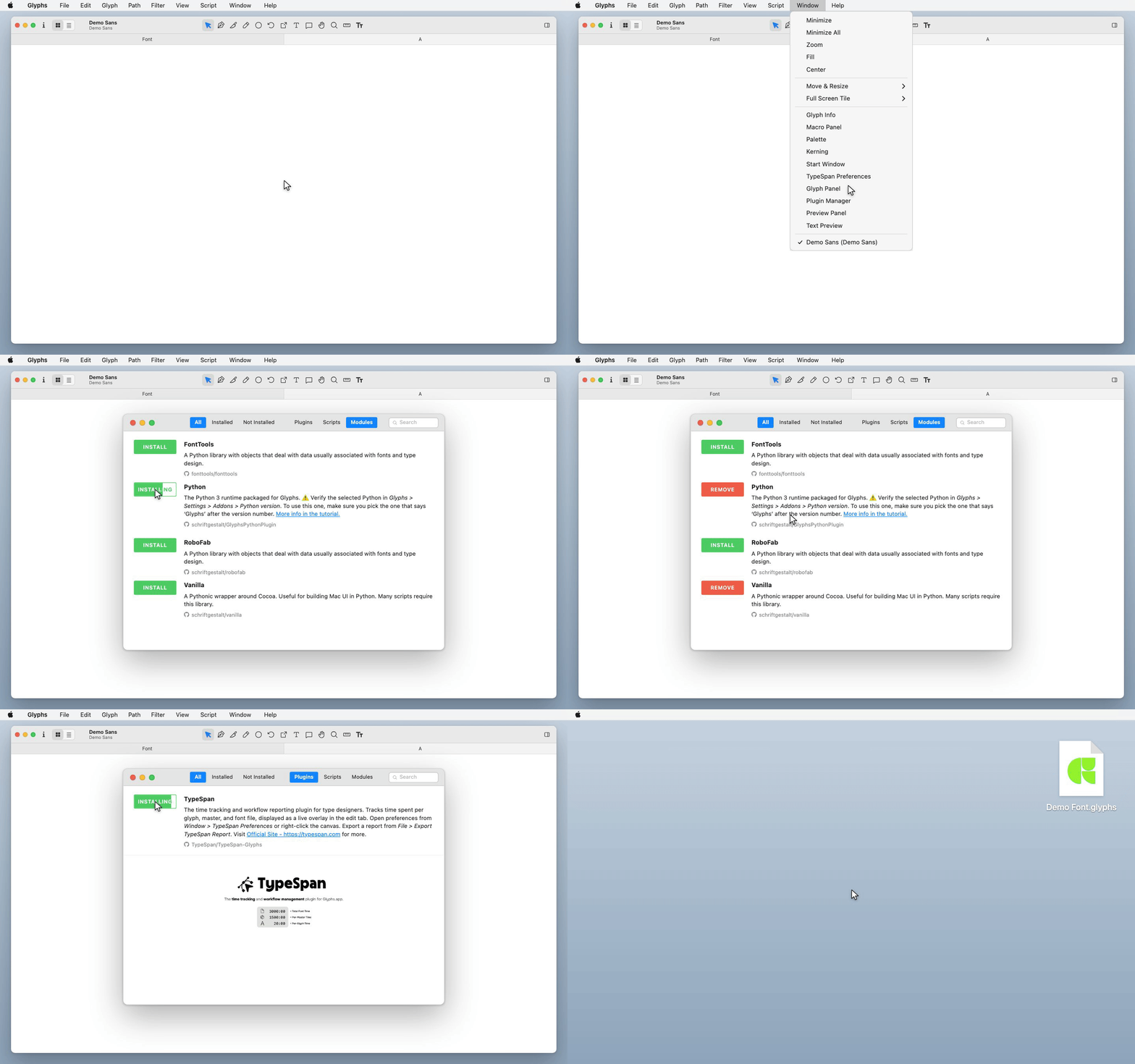
Features
- Tracks your working time automatically in the background while you work
- A small timer in the Edit view shows current tracking data
- Pauses when you switch to another app or step away, and resumes when you come back
- Fully automatic. No buttons to press, no manual interaction needed
- Export a full report with an overview by glyph, master, and whole font
- Customize the timer position, size, and metrics from Window > TypeSpan Preferences
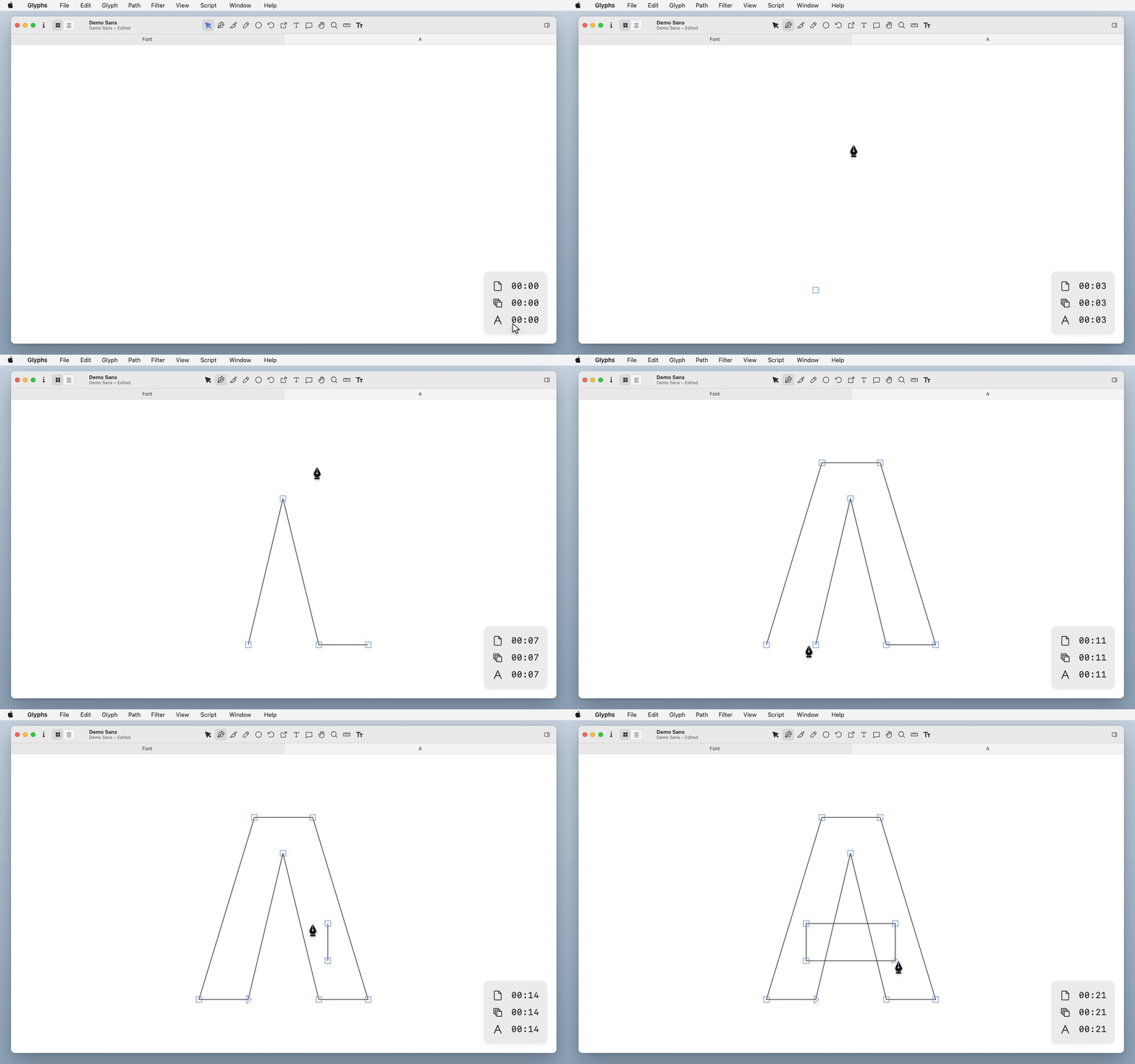
Use Cases
1. You do not know where your time went
- You finish a font with a rough idea of what you worked on, but not which glyphs took longer than expected, or whether you spent too much time on one master.
- When you can see where your time actually went, you can make better decisions about what needs more attention and what does not.
2. Estimates are just guesses
- You are halfway through a font project. How long did the first half really take? Which parts were more time-consuming?
- Without real numbers, estimating the rest is difficult.
3. One glyph pulls you in
- It is easy to lose track of time on a single difficult glyph.
- The timer keeps you aware of how long you have been on it, without interrupting your focus.
4. No way to show your work
- Clients or collaborators cannot see what you have been working on.
- TypeSpan lets you export a shareable web report, organized by glyph, master, and date, so you can show your progress clearly.
Privacy
- All tracking data is stored inside your local file.
- When exporting reports, only the tracking data needed for the report is used.
- Your glyph outline data is never accessed or transmitted.
Demo Report
See More
- Get Started: https://typespan.com/guide
- Website: https://typespan.com
- Mail: hello@typespan.com
Comments
-
This looks really useful, and probably worth the price for the pro version. But I’m curious who built it. The website only ever refers to “we” but never says who “we” is.3
-
In addition to developing the plugin myself, I collaborate with a Graphic Designer who is responsible for UX design and providing feedback.
Neither of our full-time jobs is related to typography. Glyphs and type design are simply passions that we pursue in our spare time.
Because our available time is limited, we became curious about how we were actually spending it. That curiosity eventually led to the creation of this plugin. What started as a side project has gradually grown into TypeSpan as it exists today.
Although TypeSpan has been developed entirely in our personal time, we've chosen to remain anonymous for now due to potential conflicts of interest with our current employers. We look forward to sharing more about ourselves once we are able to dedicate ourselves to the project full-time.
 2
2 -
This looks, on the surface, like a great tool, and I would be very interested in using it.
However, as I already pointed out in a GitHub issue, TypeSpan writes a lot of metadata into the document’s userData, which creates a huge amount of noise when versioning with git.
I would really love to see this solved differently, maybe a .TypeSpanLog.json file next to the Glyphs file. Otherwise, the tool becomes functionally useless when collaborating on the same file.0 -
I was literally working on something like this for myself the other day. Main reason was to track my time on each glyphs. I noticed I lost myself in fiddling too much which costs me too much time. Didn't got it to work properly and put it aside. I was working in some initials at the time.
Well done 0 -
You're right that storing the data in the font's userData could create some git noise.SCarewe said:This looks, on the surface, like a great tool, and I would be very interested in using it.
However, as I already pointed out in a GitHub issue, TypeSpan writes a lot of metadata into the document’s userData, which creates a huge amount of noise when versioning with git.
I would really love to see this solved differently, maybe a .TypeSpanLog.json file next to the Glyphs file. Otherwise, the tool becomes functionally useless when collaborating on the same file.
I've added this to the roadmap. Thanks again for the feedback!0 -
Hi, out of curiosity, did you think about this further? I see the last commit on GitHub is from three months ago. I would really be interested in this tool, but the git noise (and impossible file collaboration) really doesn't make this feasible, unfortunately. I know this would interest many people and foundries whom I collaborate with, but we all work with git.0



Categories
- All Categories
- 47 Introductions
- 4K Typeface Design
- 501 Type Design Critiques
- 592 Type Design Software
- 1.1K Type Design Technique & Theory
- 675 Type Business
- 908 Font Technology
- 29 Punchcutting
- 544 Typography
- 129 Type Education
- 333 Type History
- 82 Type Resources
- 114 Lettering and Calligraphy
- 33 Lettering Critiques
- 81 Lettering Technique & Theory
- 580 Announcements
- 101 Events
- 116 Job Postings
- 176 Type Releases
- 186 Miscellaneous News
- 270 About TypeDrawers
- 54 TypeDrawers Announcements
- 114 Suggestions and Bug Reports