Serif face for screens (my first "serious" font)

Qwerasd
Posts: 21
I'm definitely an amateur, type design is a side hobby for me, and my previous full font ventures have been non-standard, highly stylized affairs (pixel and handwriting-style), and they have all been monospaced (for coding), so in making this new font (as yet unnamed, working title "QW Text") I've definitely been wrestling with brand new problems I've not had to face before.
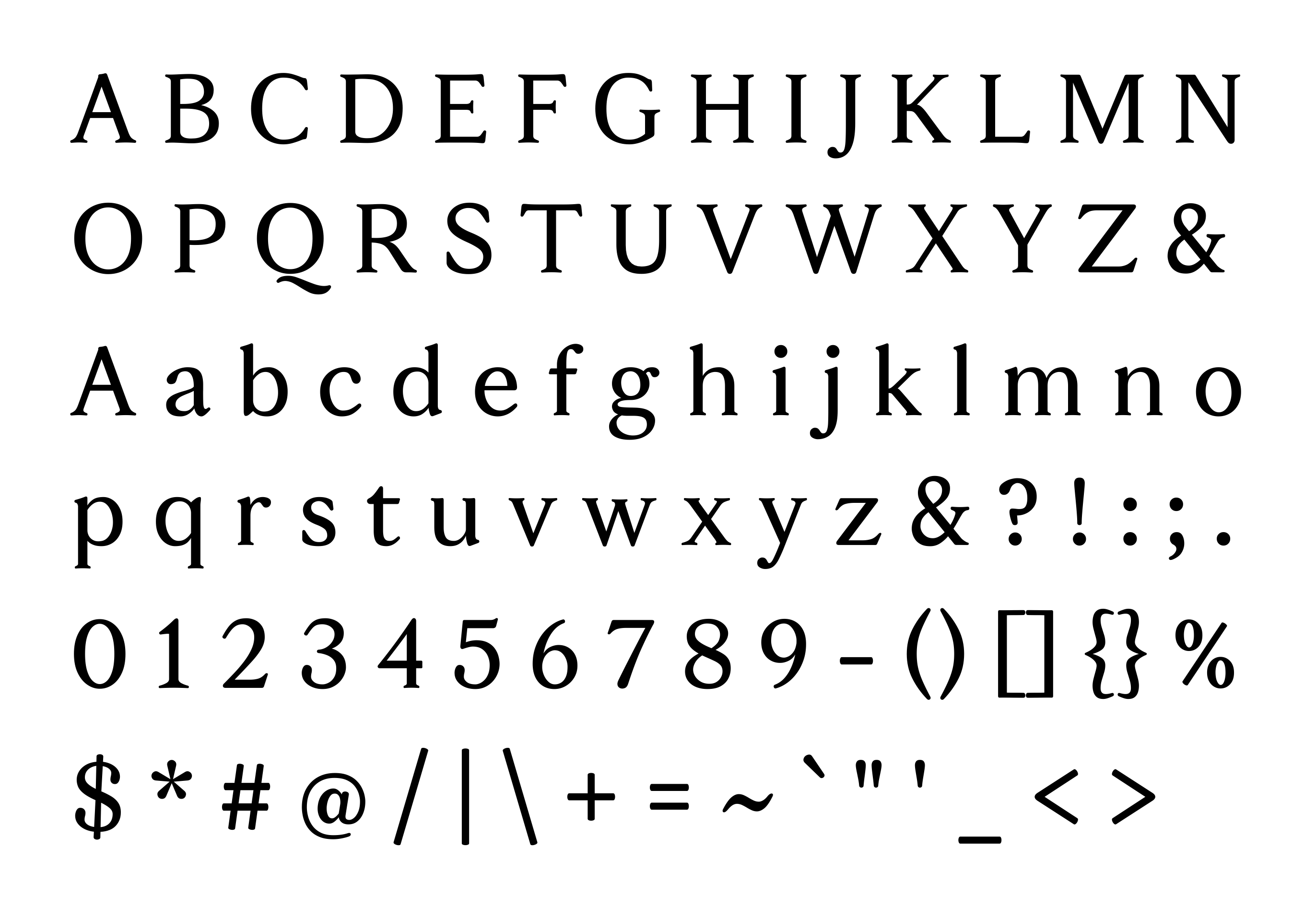
I got all the ASCII symbols in (though some of them like /ampersand and /at are definitely not as polished as I'd like, I'll certainly be fiddling with them some more after posting this) so I figured it was time to make a thread here to get feedback on stuff.
I'm curious for feedback on spacing, proportions, things that affect the texture of running text, but also curious about what things I might not even know could be problems.

The idea for the font came about through a series of thoughts that went something like this:
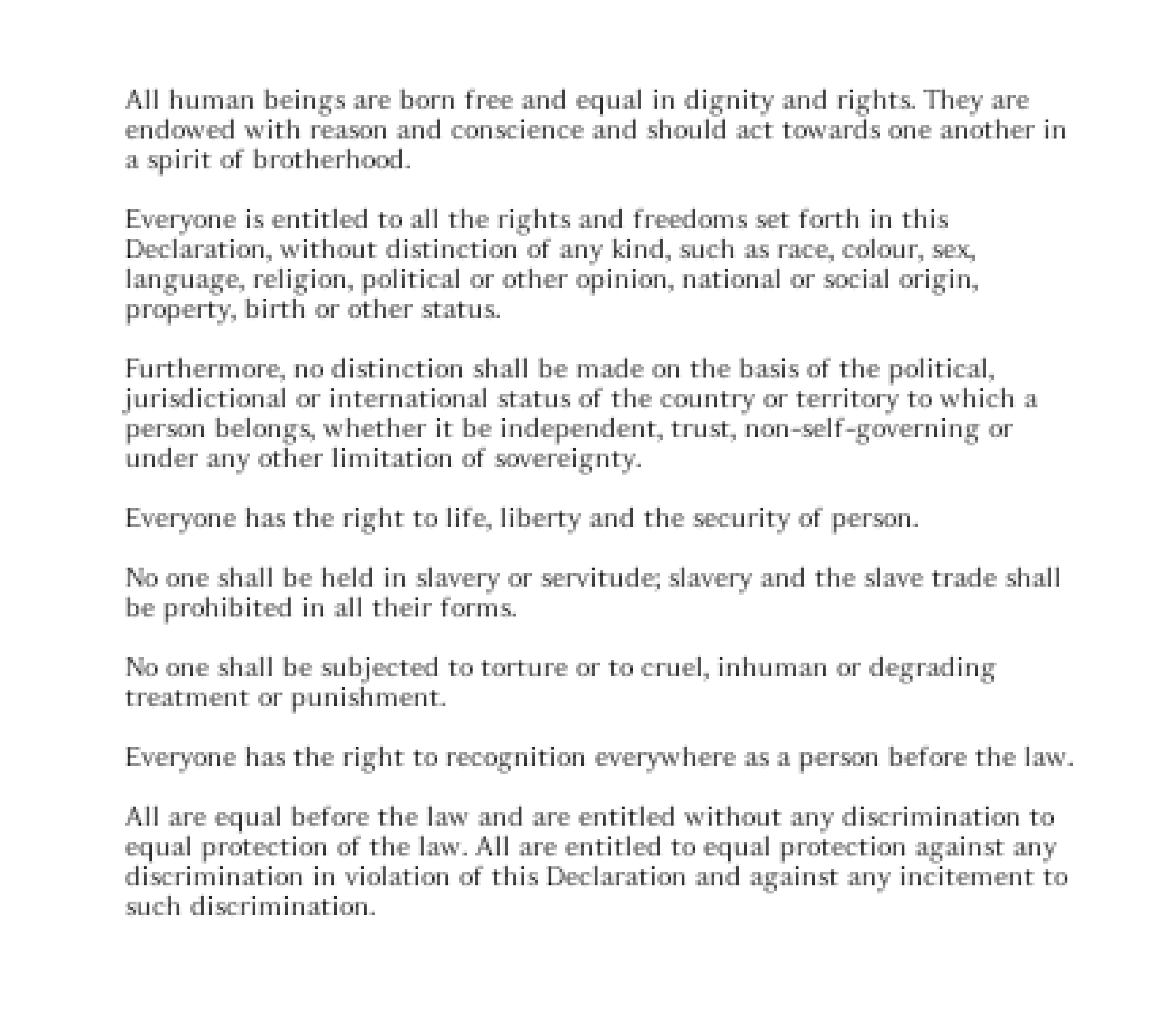
(Rendered at 10px with no hinting. I've blown this image up 6x to make the pixels visible.)
I really am thrilled with the magic trick of the disappearing serifs.
I haven't done any kerning on it yet; I had started doing kerning but got the advice to make the spacing as good as possible first and only then go in and add kerning where necessary. I think it was good advice haha.
My plan is to eventually have the standard 4 styles (Regular, Bold, Italic, Bold Italic) since I think starting simple is best. (As tempting as it would be to make a hairline and extra bold master so I could interpolate for endless weights in between...)
I've attached the "specimen" PDF, it has some natural text and then some proofing strings at a variety of sizes.
P.S. I'm curious about what other fonts are out there that do this "disappearing serif" trick; I tried googling various terms that felt like they would apply but couldn't find any. I'm absolutely certain others must exist in this vein though.
I got all the ASCII symbols in (though some of them like /ampersand and /at are definitely not as polished as I'd like, I'll certainly be fiddling with them some more after posting this) so I figured it was time to make a thread here to get feedback on stuff.
I'm curious for feedback on spacing, proportions, things that affect the texture of running text, but also curious about what things I might not even know could be problems.

The idea for the font came about through a series of thoughts that went something like this:
- Once I eventually set up my blog it would be cool if I could use a font I made myself for the body text. I want something legible and readable to be conducive to long-form reading, but something that also has a good amount of warmth and character.
- Serif fonts are an obvious choice for readability, warmth, and - if done well - character. However, they have a fatal flaw for something like a blog, in that many people still use low-dpi displays and serif fonts have a tendency to become unpleasant when rasterized at low pixel sizes.
- The main solution to this is heavy hinting for small sizes, but hinting is a laborious process and some platforms (macOS) effectively ignore hinting these days, even when driving low-dpi displays.
- So the solution I came up with is to make a typical old-style serif, but the serifs shrunk down to about half (or less) of the usual size. This lets the font almost magically transform in to a humanist sans when rasterized real small, while still having serifs for grounding and character when more pixels are available.
(Rendered at 10px with no hinting. I've blown this image up 6x to make the pixels visible.)
I really am thrilled with the magic trick of the disappearing serifs.
I haven't done any kerning on it yet; I had started doing kerning but got the advice to make the spacing as good as possible first and only then go in and add kerning where necessary. I think it was good advice haha.
My plan is to eventually have the standard 4 styles (Regular, Bold, Italic, Bold Italic) since I think starting simple is best. (As tempting as it would be to make a hairline and extra bold master so I could interpolate for endless weights in between...)
I've attached the "specimen" PDF, it has some natural text and then some proofing strings at a variety of sizes.
P.S. I'm curious about what other fonts are out there that do this "disappearing serif" trick; I tried googling various terms that felt like they would apply but couldn't find any. I'm absolutely certain others must exist in this vein though.
Tagged:
1
Comments
-
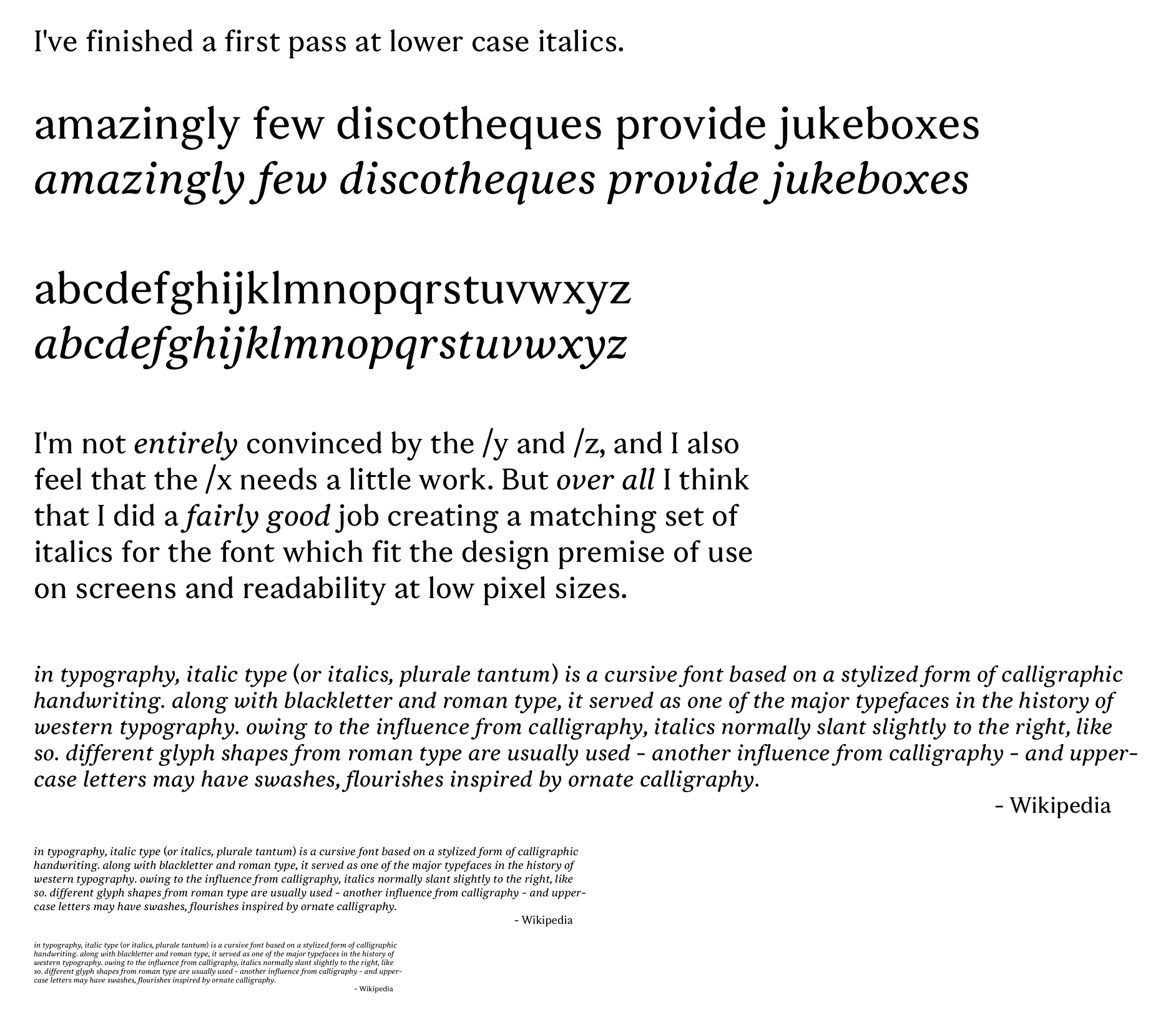
Some tweaks since the first post; I refined the /ampersand some more, as well as the /at. I also fixed (well, improved, I think) the spacing of the /s and /r which both had the RSB too tight in some amount.
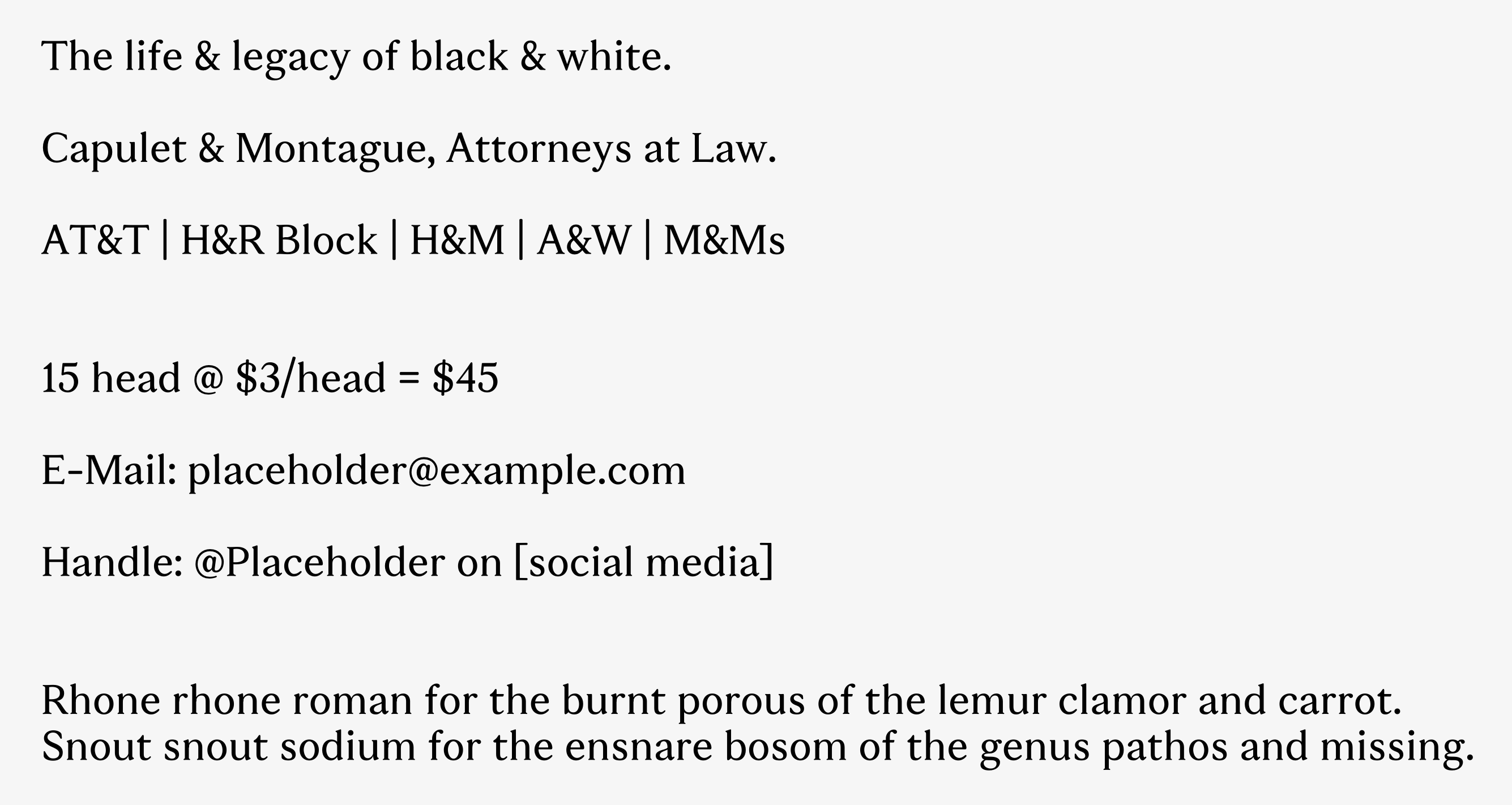
And here's at 10px. I've had the habit of checking how it looks at 10px after changes since it's nice to see how it holds up.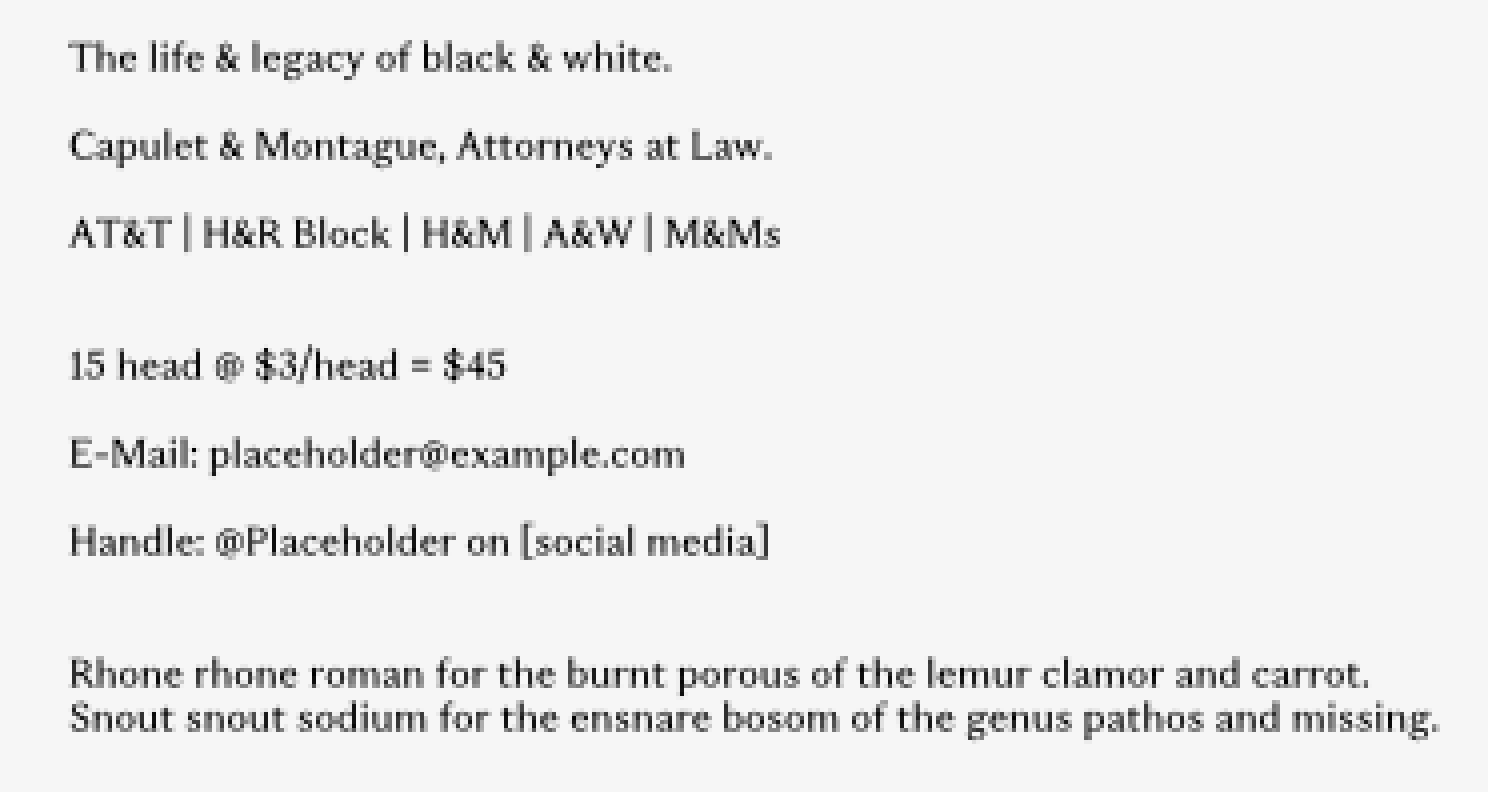 (Note: This is just a screenshot in Fontra, with the canvas zoomed all the way out, so the baselines aren't quantized to whole pixel positions, nor the advance widths, so it's a bit messier than if I had built the font and rendered the text in actual software, but it's good enough to get the point across.)0
 -
0 -
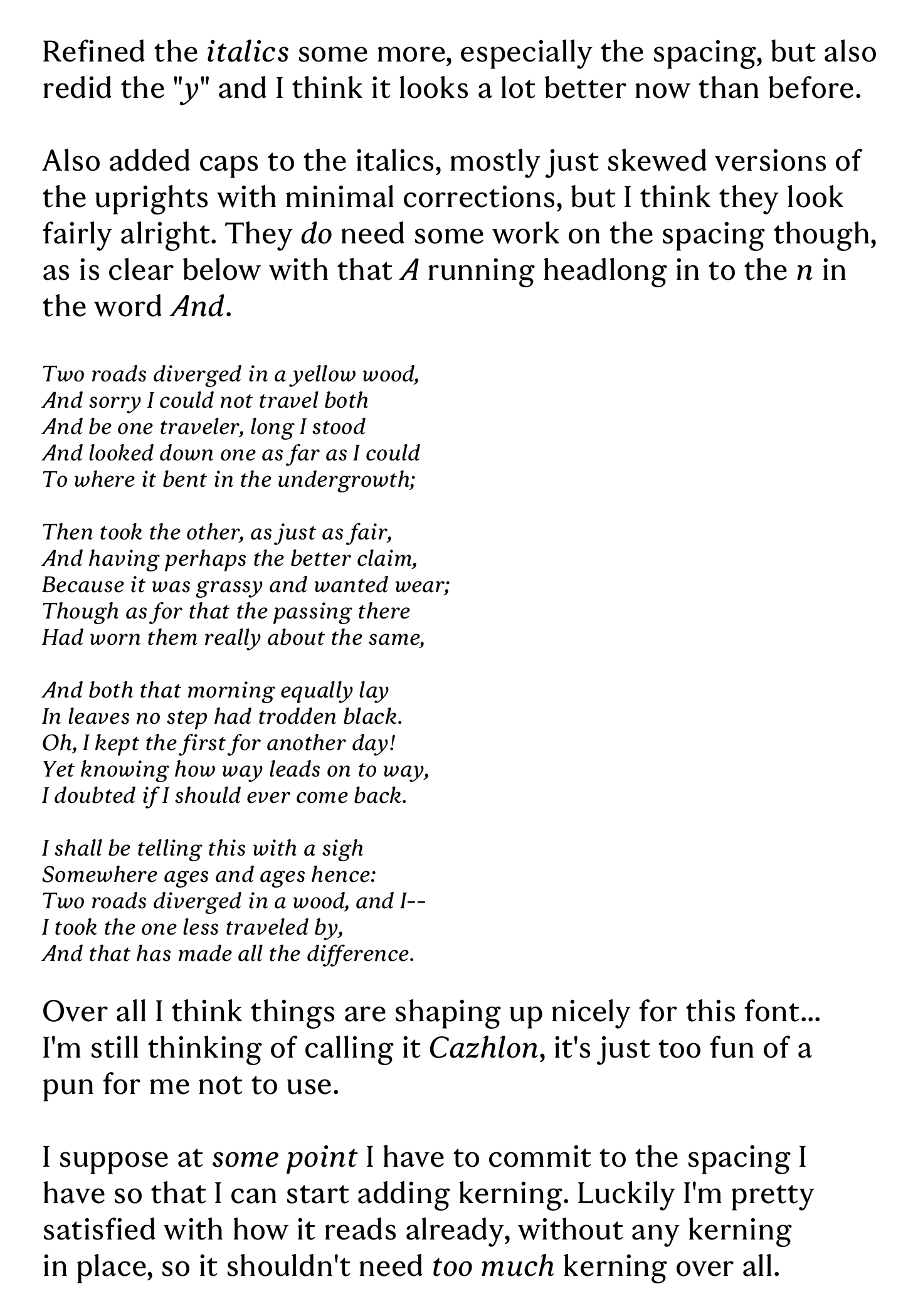
I've come up with what I think is an excellent name, Cazhlon, as in cazh (first syllable of "casual") + Caslon. The problem is, while I think it's an excellent name, I'm not sure it's an excellent name for this font in particular. While the font certainly has notes of Caslon in it, it's not a direct interpretation or revival of it by any means, and I fear that that name would imply it is. I'm just far too proud of the pun to think of other possible names... I'll give it more thought.0
-
0

Categories
- All Categories
- 47 Introductions
- 4K Typeface Design
- 501 Type Design Critiques
- 591 Type Design Software
- 1.1K Type Design Technique & Theory
- 675 Type Business
- 908 Font Technology
- 29 Punchcutting
- 544 Typography
- 129 Type Education
- 333 Type History
- 82 Type Resources
- 114 Lettering and Calligraphy
- 33 Lettering Critiques
- 81 Lettering Technique & Theory
- 580 Announcements
- 101 Events
- 116 Job Postings
- 176 Type Releases
- 186 Miscellaneous News
- 270 About TypeDrawers
- 54 TypeDrawers Announcements
- 114 Suggestions and Bug Reports