Pencil Modifier — plugin for Glyphs

Pencil Modifier
A plugin for Glyphs that enhances the Pencil tool with three features: redrawing existing paths, drawing closed paths, and drawing simplified paths.
Features
Redraw Path — hold Option ⌥ while drawing with the Pencil tool to merge drawn path with the nearest existing path, creating smooth connections where they join.
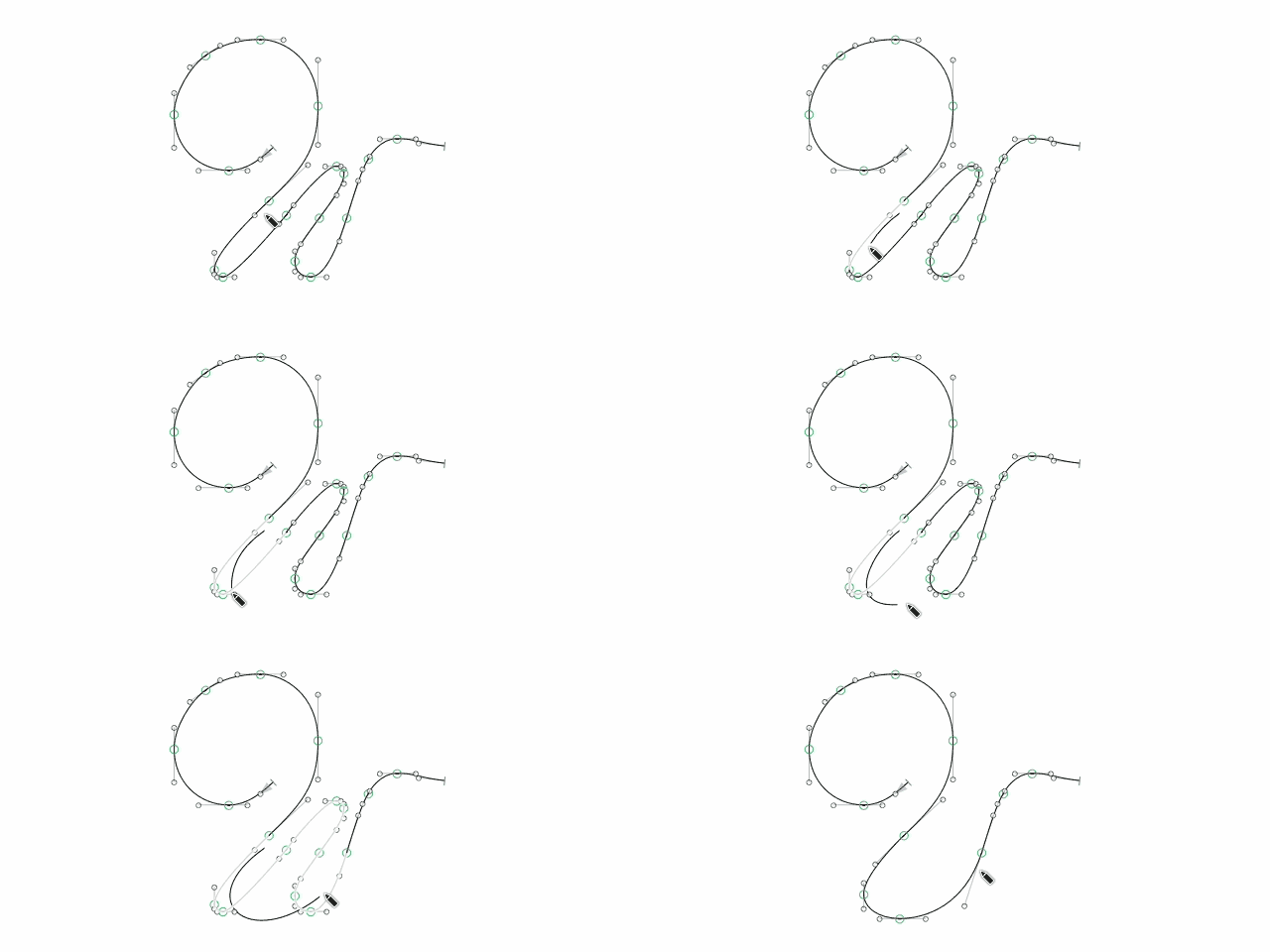
Draw Closed Path — hold Shift ⇧ while drawing with the Pencil tool to automatically close drawn path.
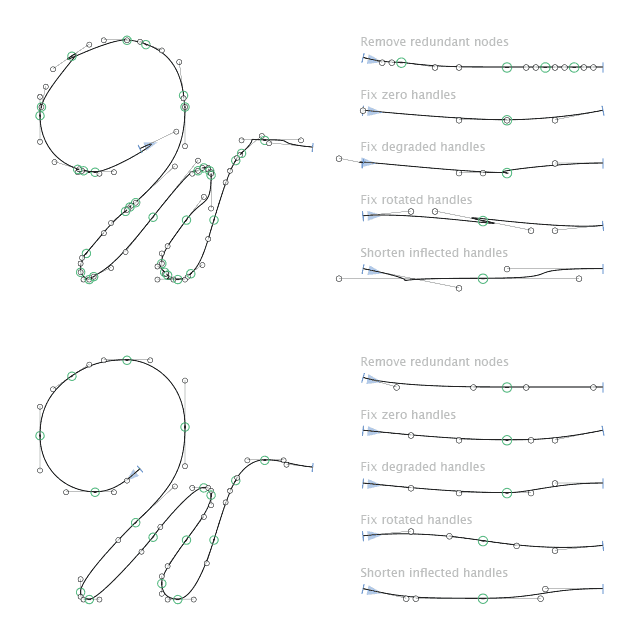
Simplify Drawn Path — drawing with the Pencil tool produces a clearer path by smoothing ripples, removing tight nodes, and fixing degraded or inflected handles.
Settings
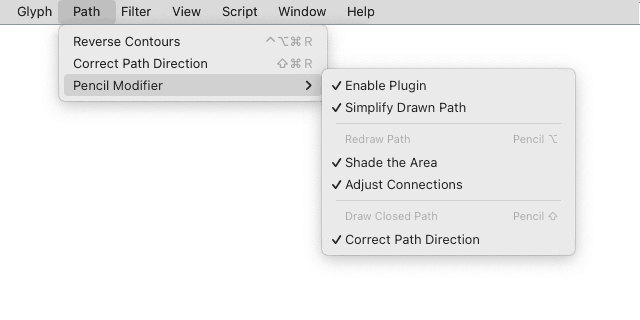
The plugin settings are located in Menu > Path > Pencil Modifier.
Project background
I was working on a font style that needed to be carefully aged manually, with each letter treated individually. The letters had to be redrawn in many places to create natural-looking scuffs, chips, and internal scratches. I started sketching them in Adobe Illustrator using the Edit Selected Paths feature. However, the redrawn outlines often came out quite noisy, with many unnecessary nodes. The paths were usually left open and sometimes had the wrong winding direction. Additionally, each letter’s outline had to be moved from Illustrator back to Glyphs, which required realignment, path closure, correction, and cleanup, and all of this had to be done for a large number of glyphs. This plugin automates all those technical steps, handling them under the hood. It has saved me weeks of time and allowed me to focus on the creative aspects instead of the technical ones. I hope it helps you too.
Comments
-
Cool, thanks Michael!1

Categories
- All Categories
- 46 Introductions
- 3.9K Typeface Design
- 489 Type Design Critiques
- 572 Type Design Software
- 1.1K Type Design Technique & Theory
- 658 Type Business
- 870 Font Technology
- 29 Punchcutting
- 528 Typography
- 121 Type Education
- 327 Type History
- 80 Type Resources
- 111 Lettering and Calligraphy
- 32 Lettering Critiques
- 79 Lettering Technique & Theory
- 560 Announcements
- 95 Events
- 116 Job Postings
- 169 Type Releases
- 179 Miscellaneous News
- 269 About TypeDrawers
- 53 TypeDrawers Announcements
- 114 Suggestions and Bug Reports