Introducing TypeSteward — a font conversion and repair tool for macOS

Hi everyone,
I’m a graphic designer, and I’d like to share a Mac app I’ve been working on: TypeSteward. It grew out of font tasks I kept running into in my own work.
TypeSteward brings together three workflows:
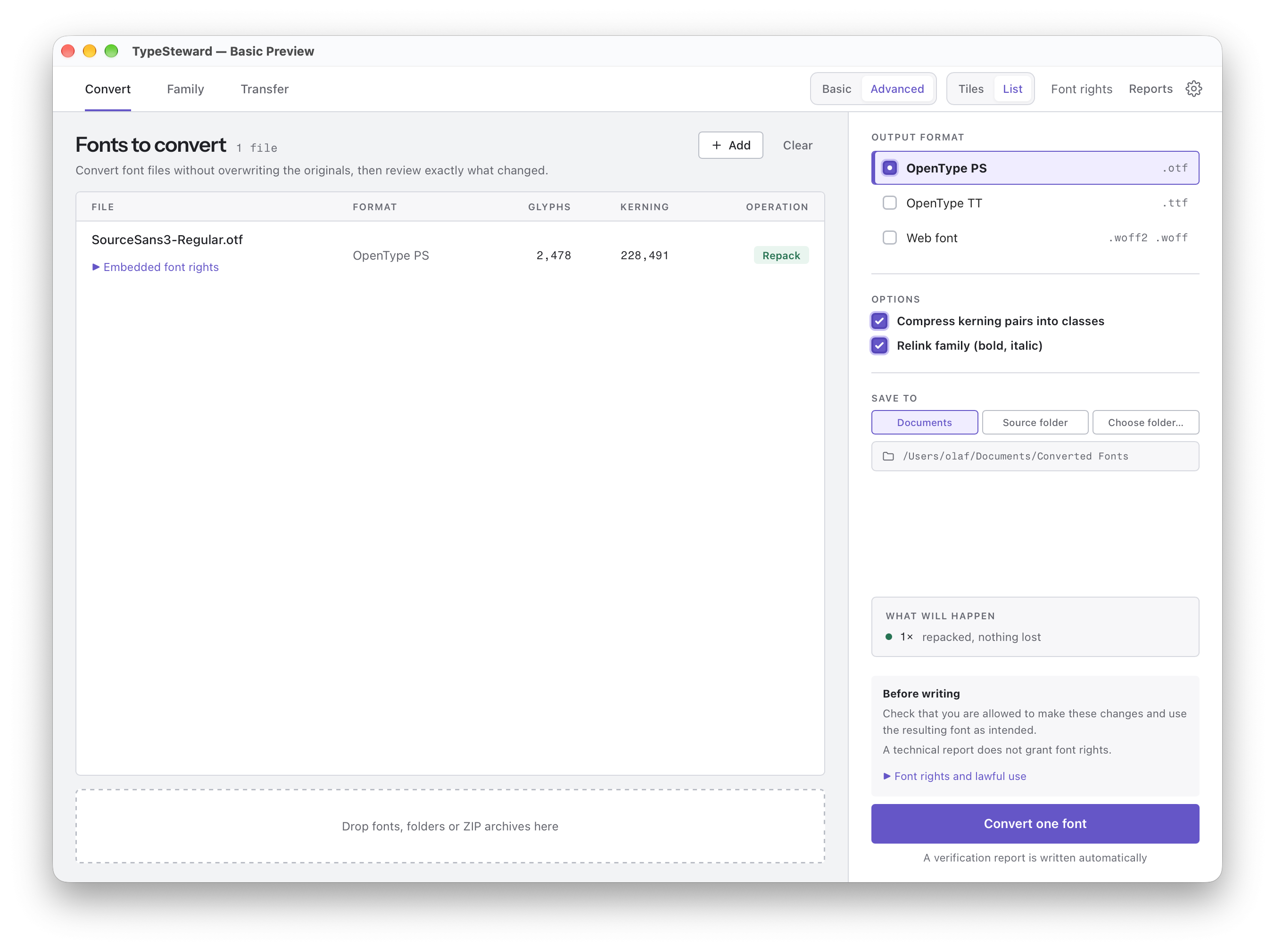
Convert: Convert fonts between OpenType with PostScript outlines, TrueType and web font formats.
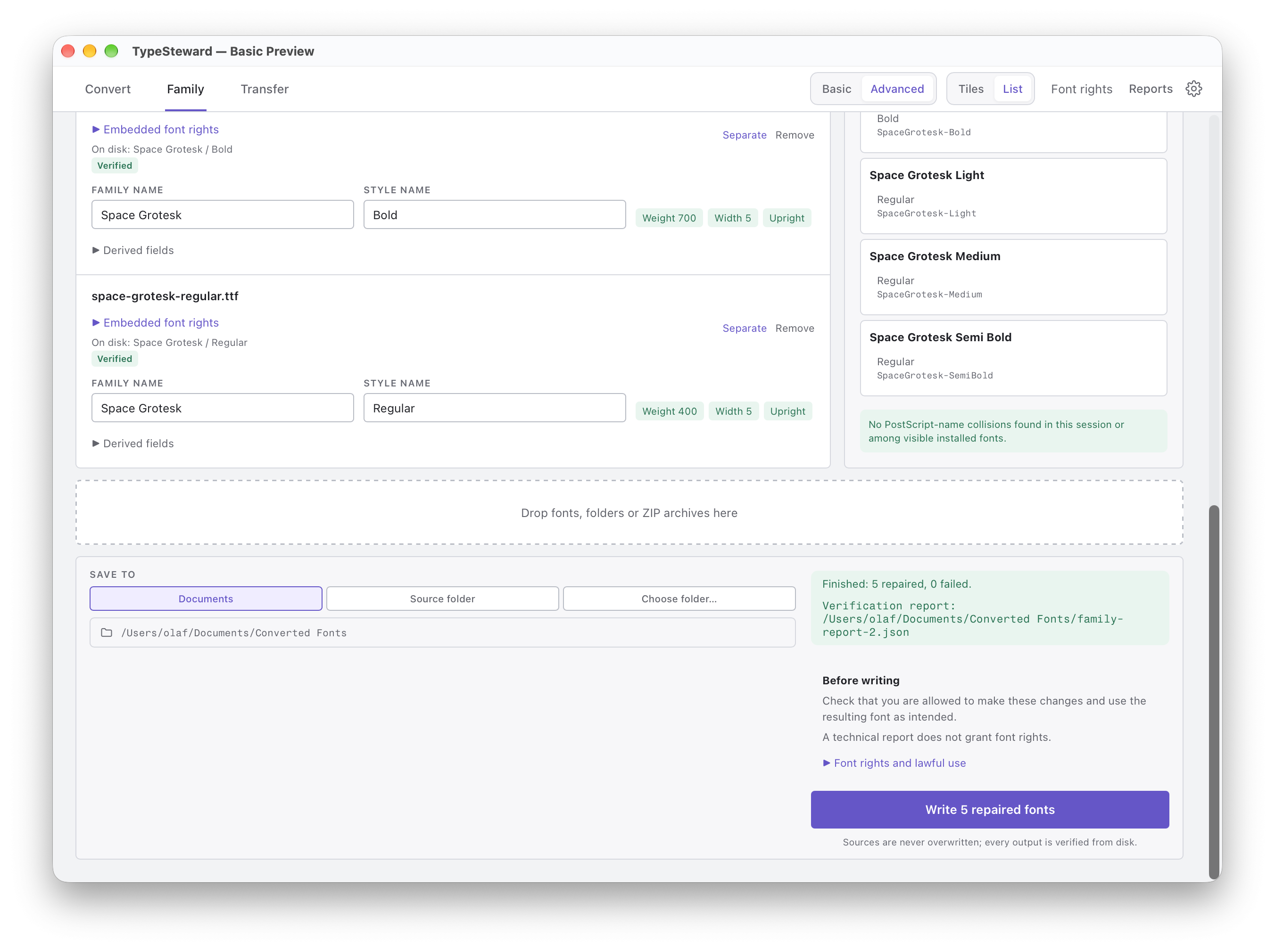
Family: Adjust family names and style linking so related fonts appear together correctly in font menus.
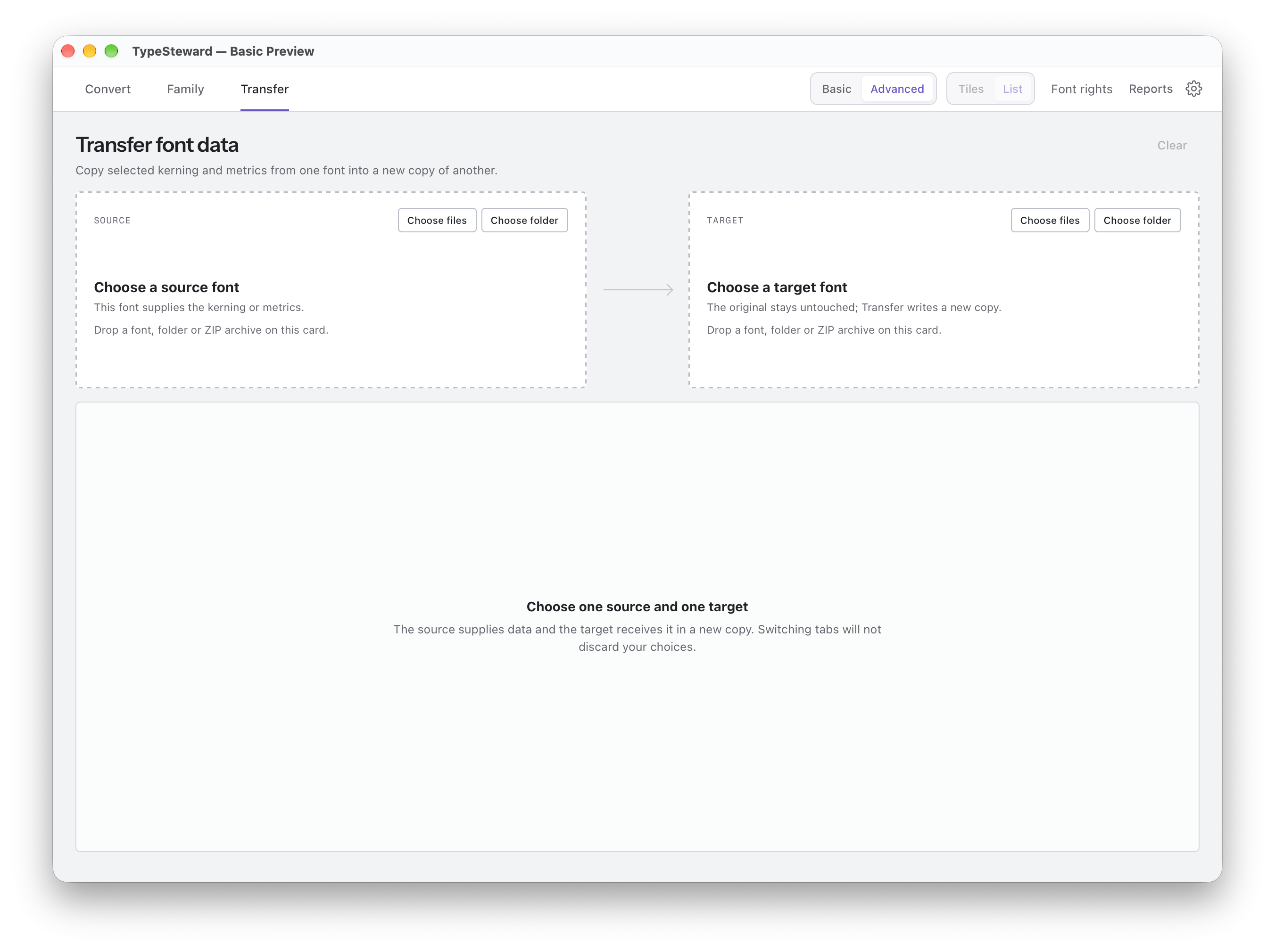
Transfer: Transfer selected kerning and metrics from one font to another, with glyph matching and a preview of the planned changes.
Everything is processed locally on your Mac. The app saves new copies and leaves the originals untouched. Before processing, it shows the planned changes; afterwards, it creates a report based on the saved output.
I’m also working on a simpler Basic mode for conversion and family repair, alongside the existing detailed controls. This will be included in a future update.
More information and screenshots:
https://typesteward.app
A beta is now available if you’d like to try it. It includes seven days of editing and conversion from activation. Please use fonts whose licences permit the changes you’re making.
I’d be interested to hear how this fits into your workflows and what you think could be improved.
Thanks for taking a look!
Sascha
Comments
-
This looks well-considered in its functionality. I think a lot of type foundries would appreciate it if you were to add an up-front notice regarding using the tool in compliance with individual font user licenses. Some of the things the tool does and the way it does them may be permitted by some foundries but not by others.6
-
He has it in a box above the conversion button but yes a clear mention of EULA restrictions is definitely appreciated.1
-
John Hudson said:add an up-front notice regarding using the tool in compliance with individual font user licenses
🤷 Just spitballing…maybe an affirmation box the user must tick before the conversion button turns active, so that the onus is on the user to claim compliance with any applicable restrictions? That will help remind the honest users better than a skippable reminder, without adding a lot of fuss.Nadine Chahine said:He has it in a box above the conversion button but yes a clear mention of EULA restrictions is definitely appreciated.6 -
Yes! Something like a checkbox saying: I confirm that I have the legal rights to modify these fonts.
With an added note: If you are not the intellectual property owner of these fonts please ensure you have obtained permission to modify them.
Potentially a disclaimer that the site is not liable for users breaking the EULAs.0 -
It's interesting that we ended up with a very similar interface for tools that are not all that different. Even though NotYAFC is just a font converter and doesn't deal with anything else (apart from a few optional features to help reduce web font sizes), the overall workflow is surprisingly similar. I spent a ridiculous amount of time figuring out where everything should go in the UI, so seeing a comparable approach gives me some confidence that I'm on the right track.
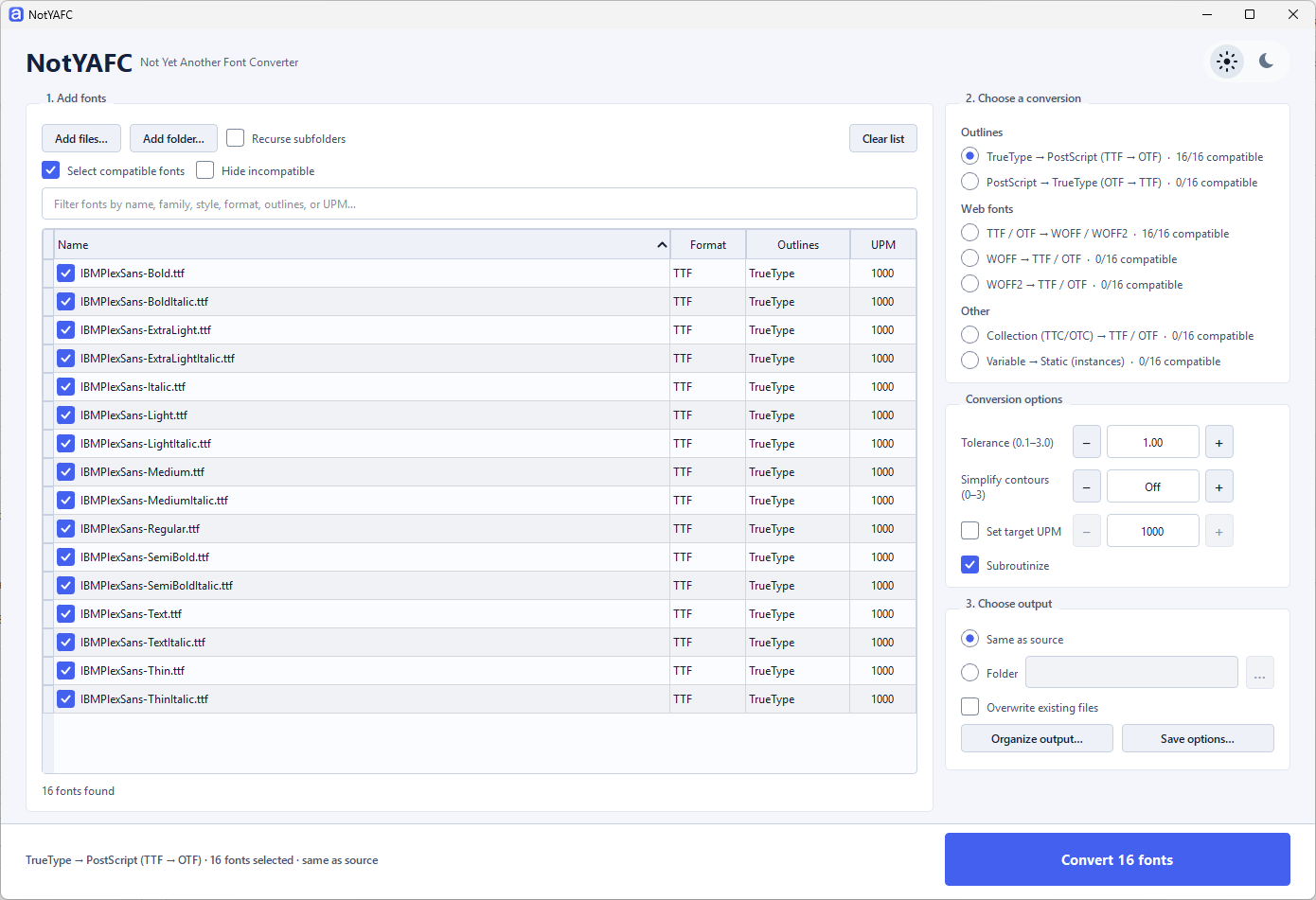
Anyway, nice job! Even if it's a shame that it's macOS-only.
Have to find a way to add a notice without disturbing legitimate users and without breaking the UI.Nadine Chahine said:Yes! Something like a checkbox saying: I confirm that I have the legal rights to modify these fonts.
With an added note: If you are not the intellectual property owner of these fonts please ensure you have obtained permission to modify them.
Potentially a disclaimer that the site is not liable for users breaking the EULAs.0 -
c.g. said:It's interesting that we ended up with a very similar interface for tools that are not all that different.Is this interesting or even surprising considering they were both produced with LLMs?3
-
Not at all. The core was adapted from my beloved ftCLI, written by me years ago and still active. I started this side project using LLMs to build the GUI and adapt parts of the code. But the first attempts were not so good and I spent a lot of time to decide where to place the fonts list, the conversion options et cetera.Robin Mientjes said:c.g. said:It's interesting that we ended up with a very similar interface for tools that are not all that different.Is this interesting or even surprising considering they were both produced with LLMs?1


Categories
- All Categories
- 47 Introductions
- 4K Typeface Design
- 505 Type Design Critiques
- 597 Type Design Software
- 1.1K Type Design Technique & Theory
- 682 Type Business
- 912 Font Technology
- 29 Punchcutting
- 549 Typography
- 133 Type Education
- 334 Type History
- 82 Type Resources
- 114 Lettering and Calligraphy
- 33 Lettering Critiques
- 81 Lettering Technique & Theory
- 593 Announcements
- 102 Events
- 120 Job Postings
- 181 Type Releases
- 189 Miscellaneous News
- 270 About TypeDrawers
- 54 TypeDrawers Announcements
- 114 Suggestions and Bug Reports