Variable font weight in design app works not for italics/obliques

donat raetzo
Posts: 71
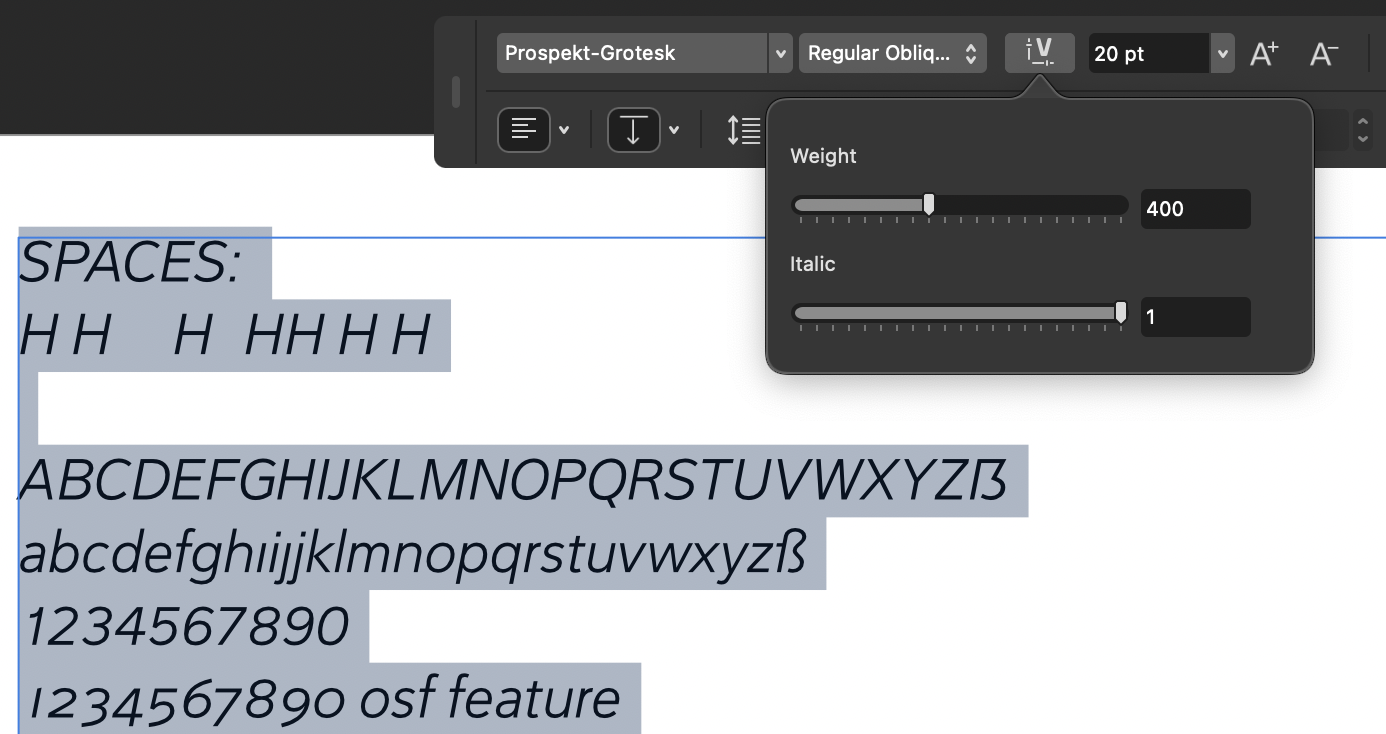
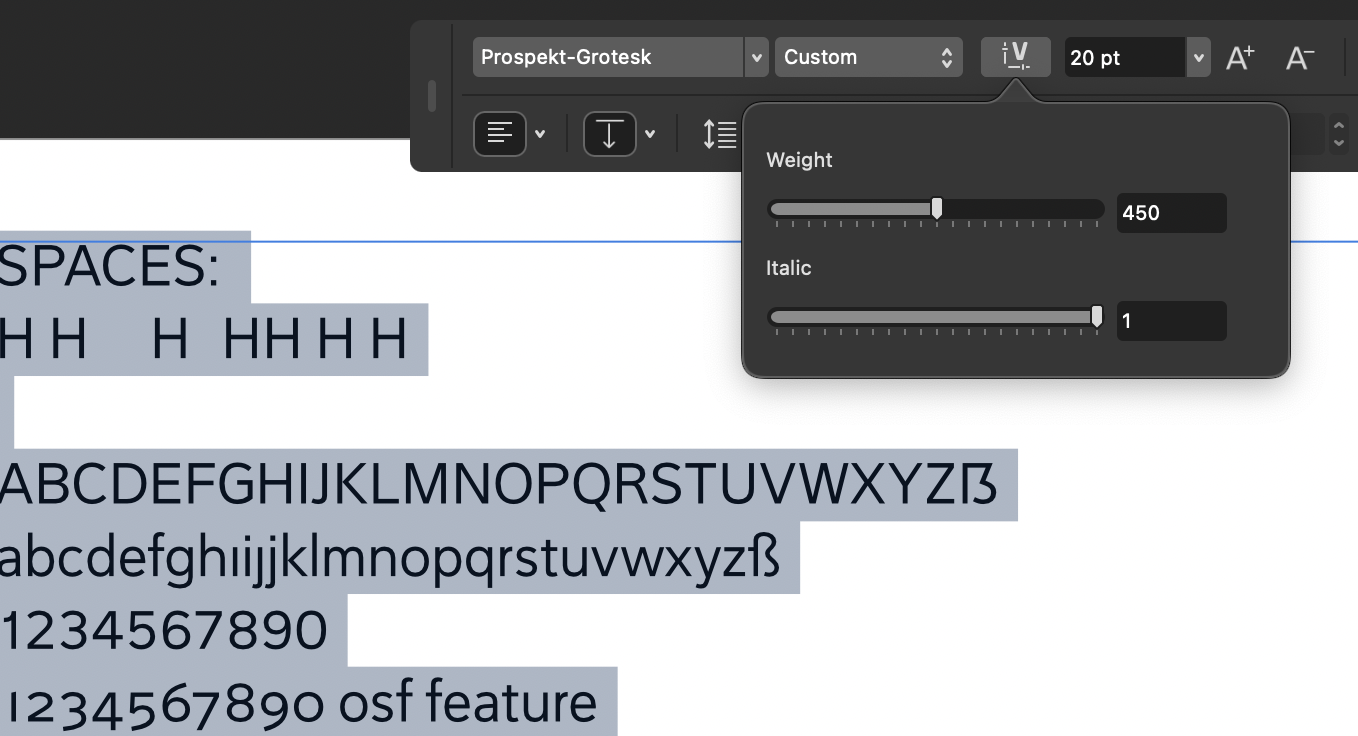
I can not pick a custom weight for my VF in its oblique/italic state. This works only in the fonts upright state. Oblique/italic is only available in full steps (my instances). Does this have to be like this or can i solve the issue? Does it relay on any order/list that I control in my font editor? Your comments are much appreciated.
Tagged:
0
Answers
-
This might be due to an error in the STAT table, missing a mapping between the weight and italic styles. Without examining the font, this is just guesswork, though, and I don’t have experience making fonts that include an italic axis.
From the screenshots, I take it you are testing in an Adobe app? Adobe has some idiosyncratic requirements for variable font name tables, which could be a factor, although I mostly associate these with managing separate roman/italic fonts. Does your font include a name ID 25 entry?1 -
I include the italic axis (values 0 or 1) only to make all 2x6 cuts available under the same one font name, without to have to choose the upright and italic fonts separately in the font menu. I am not aware to have set a STAT table. In FontLab, I can open the "Tables" panel. There I see only a "gasp" table. Is any specific font tool recommended to deal with such tables? I work on mac.John Hudson said:This might be due to an error in the STAT table, missing a mapping between the weight and italic styles. Without examining the font, this is just guesswork, though, and I don’t have experience making fonts that include an italic axis.
From the screenshots, I take it you are testing in an Adobe app? Adobe has some idiosyncratic requirements for variable font name tables, which could be a factor, although I mostly associate these with managing separate roman/italic fonts. Does your font include a name ID 25 entry?
The screenshots are from the new Canva Affinity app. Indesign shows the same behaviour though. Hence I am questioning my fonts.
I googled for "name ID 25", I assume it is this value, I had it on "Everything is allowed".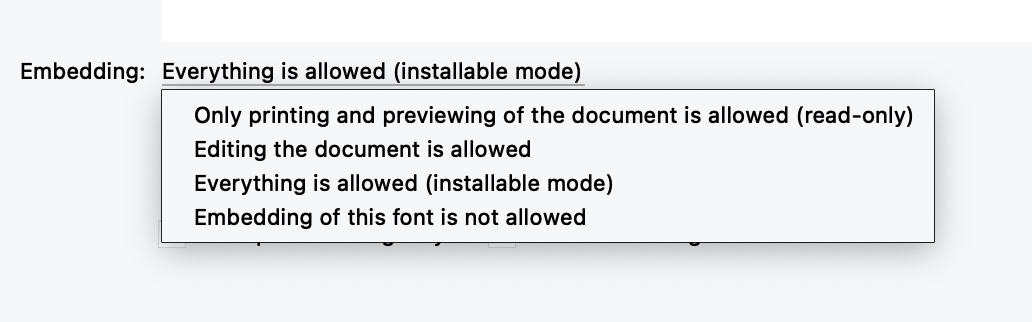
hmm!0 -
The FontLab Tables panel only shows the tables that are stored in their imported binary state by FL when you open a font; it doesn’t show tables that are decompiled and interpreted by FL.
The STAT table is a required table in variable fonts. It manages the style relationships between named instances and between the variable axes. A STAT table will automatically be written by FontLab when you export a variable font, but the content of that STAT table will depend on how you have set up names and axes in the FL source.
As I said, without examining the font I can only guess at what the problem might be. And even then, I may not be able to identify specific steps to take in your source, because I don’t use FontLab’s font export function when making fonts: I export as a UFO and then use the Tiro Builder tool to generate the fonts. In that workflow, the STAT table entries are explicitly defined in the build configuration file.I googled for "name ID 25", I assume it is this value, I had it on "Everything is allowed".That’s the fsType embedding permissions flag in the OS/2 table.
ID 25 in the name table is the Variations PostScript Name Prefix. This is supposed to be an optional name table entry to assist software in generating a PS name entry for arbitrary instances in a variable design space (as needed for some printers). However, Adobe’s app developers misinterpreted the spec and a) made the presence of ID 25 required for variable font support, and b) made in necessary for individual variable font files to have unique ID 25 entries (which is not a requirement of the spec, and seems to undermine the model of ID 25 in PS name generation as specified by Adobe themselves).
For your purposes, the thing to check would be whether the variable font generated from FontLab includes a name ID 25 entry. For this, you are going to need to be able to check the content of the compiled font directly, i.e. not by opening it in FL or another program that will decompile and interpret the data. The most convenient way to do this is to use a tool like DTL OTMaster, but if you’re looking for a free option, you can use TTX, which dumps font table to an XML format that can be examined in any text editor.1 -
Thank you for your explanations and tips, John. It's all very interesting and technically challenging for me. I'll continue working on it, or perhaps I'll find a specialist who can assist me.0
-
A very useful tool is fonttools ttx with which you can dump any specific table as a xml ttx file.
ttx -t STAT font.ttf
will show the content of your STAT table as human readable XML1


Categories
- All Categories
- 47 Introductions
- 4K Typeface Design
- 497 Type Design Critiques
- 591 Type Design Software
- 1.1K Type Design Technique & Theory
- 674 Type Business
- 907 Font Technology
- 29 Punchcutting
- 544 Typography
- 129 Type Education
- 333 Type History
- 82 Type Resources
- 114 Lettering and Calligraphy
- 33 Lettering Critiques
- 81 Lettering Technique & Theory
- 580 Announcements
- 101 Events
- 116 Job Postings
- 176 Type Releases
- 186 Miscellaneous News
- 270 About TypeDrawers
- 54 TypeDrawers Announcements
- 114 Suggestions and Bug Reports