TTFAutohint: Grayscale / GDI / DW ?

Ramiro Espinoza
Posts: 839
Hi there,
Can someone explain (or point a webpage where it is explained) in what occasions it's necessary to choose each or all of the 3 "Strong Stem width and positioning" TTFAutohint options (Grayscale / GDI Cleartype/ DWCleartype) ?
Thanks in advance.
(BTW, I managed to bottle TTFAutohintGUI for Mac with Wineskin )
)
Can someone explain (or point a webpage where it is explained) in what occasions it's necessary to choose each or all of the 3 "Strong Stem width and positioning" TTFAutohint options (Grayscale / GDI Cleartype/ DWCleartype) ?
Thanks in advance.
(BTW, I managed to bottle TTFAutohintGUI for Mac with Wineskin
)
Tagged:
0
Comments
-
I've found: http://www.freetype.org/ttfautohint/doc/ttfautohint.html
but I still don't know when it's better to click GDI and DW together or to leave only GDI (default option).0 -
This is a question of market share, from my perspective. Currently Win 8 (using DW) has a smaller share of the market place, so I lean towards GDI, which was used up to Win 7. Likewise, Grayscale's only going to be seen by those with Win XP and Cleartype disabled, which hopefully is a small and shrinking portion of the market.
0 -
Does it make sense to click the 3 checkboxes?0
-
I'd say probably GDI for now and DW to make it future-proof – depends on filesizes and usage.1
-
Agree with ThierryBlancpain0
-
It's hard to give a recommendation. It really depends on the font.
With some simple shell scripting it's very easy to create a set of fonts using the available combinations of option-wwhich can then be tested with various browsers on various platforms.0 -
Werner, could you provide an example of such a shell script? 0
-
To extend what Werner said the "strong" setting in TTFA is there to indicate that in a give rendering mode you want to have TTFA to err on the side of rendering whole pixels. This makes font stems more solid but there are tradeoffs. The rounds can look overly blocky. The best thing to do is to try browser and OS combinations that let you see/test Greyscale, GDI and DW. Then you can decide of you want to use strong for each instance.
The other point that is worth making because I can see that there is confusion about this is that you are not choosing GDI vs DW. You may have the font render in any of these. You are just setting a strong vs softer setting for each of these 3 instances.
My question is which of these 3 check boxes (if any) is relevant to Freetype rendering. Werner?1 -
In Windows, a batch CMD file that should help with testing the different options will look like this:
@echo off
:: set basics
set DESTPATH=%~dp1
IF %DESTPATH:~-1%==\ SET DESTPATH=%DESTPATH:~0,-1%
MD "%DESTPATH%autohint"
if [%1]==[] goto :eof
:loop
set fullfile=%1
set filename=%~n1
goto :MAINACTION
:: do the deed
:MAINACTION
C:\wfont-tools\ttfautohint -G 200 -l 8 -r 72 -c -n -w "" -x 0 -f %fullfile% "%DESTPATH%autohint\%filename%-none.ttf"
C:\wfont-tools\ttfautohint -G 200 -l 8 -r 72 -c -n -w gGD -x 0 -f %fullfile% "%DESTPATH%autohint\%filename%-all.ttf"
C:\wfont-tools\ttfautohint -G 200 -l 8 -r 72 -c -n -w g -x 0 -f %fullfile% "%DESTPATH%autohint\%filename%-grayscale.ttf"
C:\wfont-tools\ttfautohint -G 200 -l 8 -r 72 -c -n -w G -x 0 -f %fullfile% "%DESTPATH%autohint\%filename%-GDI.ttf"
C:\wfont-tools\ttfautohint -G 200 -l 8 -r 72 -c -n -w D -x 0 -f %fullfile% "%DESTPATH%autohint\%filename%-Directwrite.ttf"
C:\wfont-tools\ttfautohint -G 200 -l 8 -r 72 -c -n -w gG -x 0 -f %fullfile% "%DESTPATH%autohint\%filename%-gG.ttf"
C:\wfont-tools\ttfautohint -G 200 -l 8 -r 72 -c -n -w gD -x 0 -f %fullfile% "%DESTPATH%autohint\%filename%-gD.ttf"
C:\wfont-tools\ttfautohint -G 200 -l 8 -r 72 -c -n -w GD -x 0 -f %fullfile% "%DESTPATH%autohint\%filename%-GD.ttf"
shift
if not [%1]==[] goto loop
"C:\wfont-tools\" is where I keep the ttfautohint.exe file. You should replace this with the path where you keep it. This script creates a new folder adding "autohint" to the name and then puts each new autohinted file inside this folder with it's respective name. It's better if you have the source files in a specific folder for it rather than your desktop or something like that. When you've set everything up you simply need to drag and drop your source TTFs on top of the CMD file. Also, it should work for multiple files.
One last thing, the other flags are the ones I usually use. You may want to modify them to your liking.1 -
I just tested in my PC. Thanks, it is saving me a lot of time...0
-
Ramiro, curious if you've made a donation to ttfautohint? 0
-
Dave, just curious but when are you going to stop asking small founders for support of Adobe and Microsoft's scaling and rendering disabilities?
When Adobe's support of Werner was announced at ATypI I applauded. Not a standing ovation or a quiet thumbs up, I applauded. That this was tweeted as "1/2 hearted" by another, is either simply out of context, or something else. What happened after that, when a MS representative asked if this wasn't "too little, to late", the answer to which is entirely in MS court, went uncommented on. After all, just about all cff hinting is good for, is rendering Larger sizes on windows, and all TTf hinting is good for is rendering Smaller sizes on windows.
Who should pay for that... Dave?
2 -
Personal opinion only, natch:
> Dave, just curious but when are you going to stop asking
> small founders for support of Adobe and Microsoft's
> scaling and rendering disabilities?
When CFF fonts' text rendering becomes good everywhere (which will be hastened by Chrome moving off GDI, and largely complete when XP is only 1% of all users - soon enough)
But then I'll turn to hassling them to fund improved CFF font hinting
> When Adobe's support of Werner was announced
> at ATypI I applauded. Not a standing ovation or a
> quiet thumbs up, I applauded. That this was
> tweeted as "1/2 hearted" by another, is either
> simply out of context, or something else.
Cool! I agree, the Google i18n folks did a very good thing with Adobe there.
> What happened after that, when a MS
> representative asked if this wasn't "too little,
> to late", the answer to which is entirely
> in MS court, went uncommented on.
The recent presentations by MS, the one at TypeCon with Matthew Carter coming to my mind although any recent one will likely do, show that their text rendering folks seem to have been unable to argue against regressing the quality of test rendering, the Surface (iPad) obsession throwing it asunder.
John Hudson says, all problems are ultimately legacy problems. MS has hella legacy problems. I'm sympathetic to their plight; I pit-pit-pi....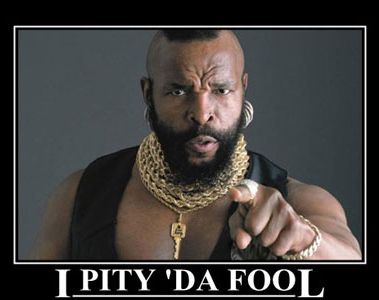
> After all, just about all cff hinting is good for,
> is rendering Larger sizes on windows, and
> all TTf hinting is good for is rendering Smaller
> sizes on windows.
You don't think the latest cff renderers do good with text?
> Who should pay for that... Dave?
I'm hoping Adobe will hurry up and make its CFF autohinter libre software so I can hassle small founders to contribute to its improvement.
We should all pay for what we all benefit from. No?0 -
When CFF fonts' text rendering becomes good everywhere (which will be hastened by Chrome moving off GDI, and largely complete when XP is only 1% of all users - soon enough)
I wish it were so. There is a huge amount of use of GDI and GDI+ in all versions of Windows, right up to Win8.1.0 -
There is a huge amount of use of GDI and GDI+ in all versions of Windows, right up to Win8.1.
Will said GDI use affect web fonts and new software, or is it limited to backwards-compatibility for old software?0 -
DC>You don't think the latest cff renderers do good with text?
When there is enough resolution for it not to matter, sure.
You do understand why TT exists though... don't you.
DC>We should all pay for what we all benefit from. No?
The appearance of fonts at large sizes on low res Windows devices is hardly an issue we or any founder will "benefit" from solving. It's not like anyone asks us for better rendering at large sizes on low res Windows devices as a condition of licensing, ever.
And... if there is no announced end to ClearType of all kinds, why would I or any intelligent person, think this is a legacy issue.
0 -
Will said GDI use affect web fonts and new software, or is it limited to backwards-compatibility for old software?
Not just old software, in that I'm pretty sure there are still people writing new code that uses GDI APIs, but in terms of web fonts the situation is improving faster than for desktop apps. Recent versions of IE use DWrite rendering, for CFF and TTF alike, and I believe most browsers are either moving this way or have already done so.
2 -
John Hudson says, all problems are ultimately legacy problems.
In case anyone misinterprets that quip: I didn't mean that problems are legacy in the sense of something one only cares about for backwards compatibility reasons. My point was that all problems are the result of things we've already done, and the more we've done, the more problems we will have generated. Microsoft has done a lot. Of course, doing nothing is a different kind of problem.1 -
"...all problems are the result of things we've already done"
Lol... thus assuring an untarnishable future.
Dave, asking small foundries to pay for legacy rendering problems, is that "Personal opinion only, natch:" or an "annoying corporate mechanism" like substance.
1 -
The "too little, to late" was only indirectly related to hinting. It was a question about the need to provide better CFF rendering in Freetype for Android based mobile phones. The question being that on today's phones (with 300 DPI and up screens) what is the quality benefit of CFF? Perhaps this move would have been more useful three or four years ago?0
-
The question being that on today's phones (with 300 DPI and up screens) what is the quality benefit of CFF?
File size is touted as one of the benefits.
Mind you, once we're talking web served fonts, what matters isn't the pre-compressed file size, or even the compressed file size per se, but the download time and the decompression time. The latter is one of the things the Brotli team have been focusing on for WOFF 2.0, noting that there isn't always a net benefit to smaller file compression if it takes longer to decompress than it would to download a larger file.0 -
The question being that on today's phones (with 300 DPI and up screens) what is the quality benefit of CFF?
Autohinting a CFF font and fixing bad hints is pretty simple. Autohinting a TTF font and fixing it is more challenging. So CFF web fonts with a few corrections would likely be a nice step up for designers who want better rendering but lack the resources for TTF hinting. But improvements in rendering and TTF autohinting might make that irrelevant first.0 -
Simon: "It was a question about the need to provide better CFF rendering in Freetype..."
Sorry to misinterpret. It was rather loud in there.The question being that on today's phones (with 300 DPI and up screens) what is the quality benefit of CFF?
If we are talking about hinting a font, for an app, for a phone, or for only phones, and only Windows phones, the quality benefit of CFF is minimal.
and Simon..."Perhaps this move would have been more useful three or four years ago?"
Waiting for the small foundries to pay for a parallel universe of tools for cubics and quadratics — yes, that is slow. I wish we and a format that combined them.0 -
jmsole's batch CMD does not work with the latest TTFAutohint version (1.00rc1). I couldn't find why...0
-
If anyone is trying to get jmsole's script to work or just using that set of ttfautohint options...
The -f option chokes the current version of ttfautohint on my machine and brings up a 'Unknown script tag [fontname]' error. Remove the option and all is well.
1








Categories
- All Categories
- 46 Introductions
- 3.9K Typeface Design
- 491 Type Design Critiques
- 572 Type Design Software
- 1.1K Type Design Technique & Theory
- 667 Type Business
- 878 Font Technology
- 29 Punchcutting
- 532 Typography
- 121 Type Education
- 330 Type History
- 81 Type Resources
- 112 Lettering and Calligraphy
- 32 Lettering Critiques
- 80 Lettering Technique & Theory
- 563 Announcements
- 97 Events
- 116 Job Postings
- 169 Type Releases
- 180 Miscellaneous News
- 270 About TypeDrawers
- 54 TypeDrawers Announcements
- 114 Suggestions and Bug Reports